Making air travel effortless with
TravelEase
Client
Travel Tech
Product
B2C
Platform
iOS/Android
Role
UX/UI Designer
Reach
End-to-end Design
Timeline
8 weeks
Overview
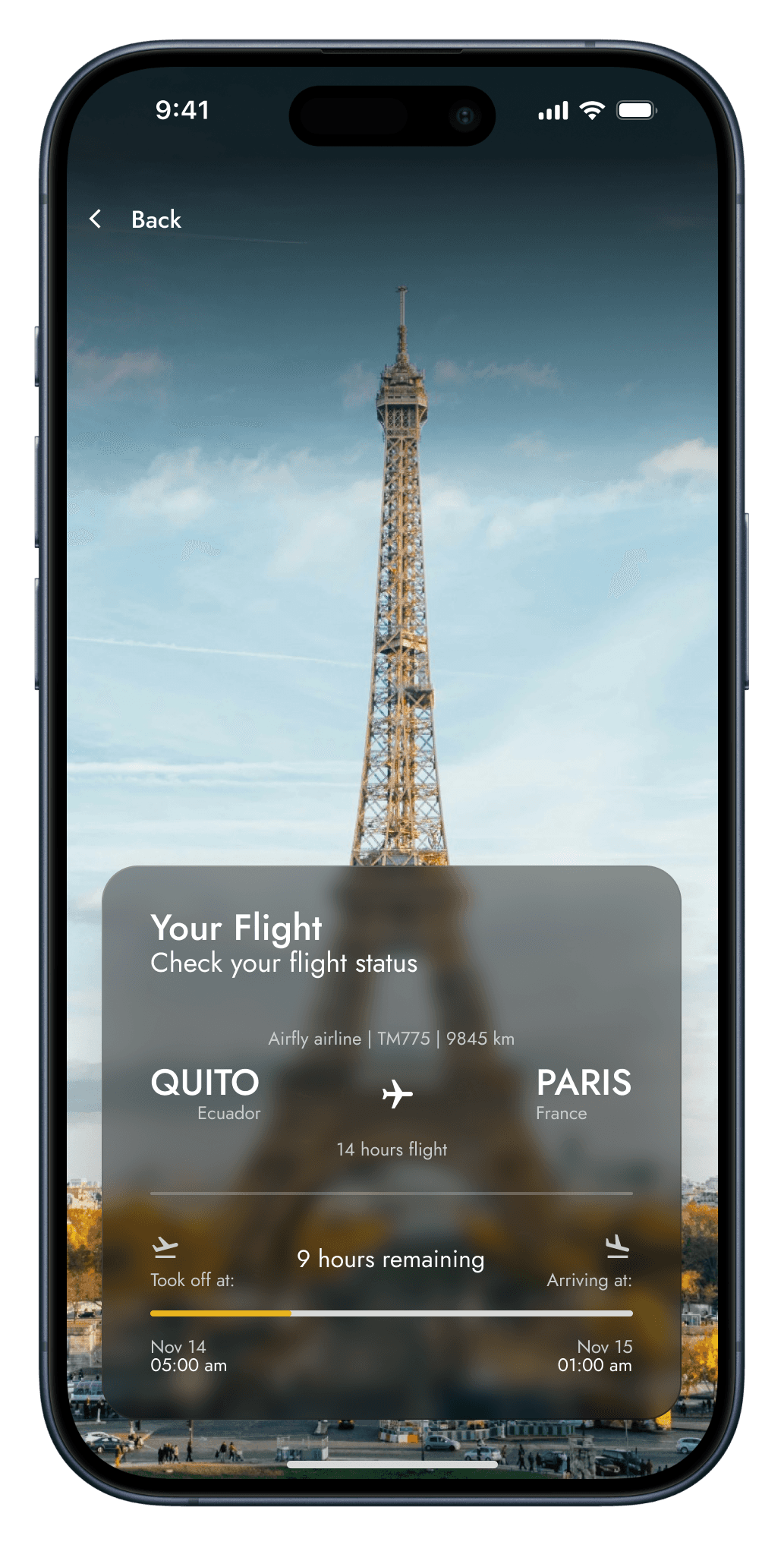
TravelEase was created to make air travel feel effortless, from booking to landing. This platform keeps travelers informed and in control every step of the way.
User Research
Content
User Personas
Jobs To Be Done
User Personas
A User Persona is a fictional yet realistic representation of a key segment of your users. It’s built using behavioral patterns, goals, frustrations, and context, helping designers empathize and design for real human needs rather than assumptions.
Objective
Understand user needs to align design decisions with real-world expectations.
Guide design priorities by focusing on what truly matters to each type of user.
Improve communication within teams by creating a shared vision of who you’re designing for.

Laura Martínez
Age:
34
Profession:
International Marketing Consultant
Location:
Miami, FL
Travel Frequency:
2-4 times a month
Goals
Save time during the booking process
Get accurate, real-time flight updates
Easily manage multiple bookings in one place
Frustrations
Missing updates when flights are delayed or gate changes happen
Having to use several apps for itinerary, tracking, and customer service
Long check-in processes and unclear travel details
Tech Comfort Level
High, uses productivity and travel apps regularly.
Quote
“If I can manage meetings across time zones, I expect my flights to be just as easy to manage.”

Kevin Brooks
Age:
45
Profession:
Regional Sales Director
Location:
Austin, TX
Travel Frequency:
Weekly (domestic business travel)
Goals
Book and track flights efficiently, even during meetings
Integrate flights with calendar and work apps
Avoid delays and optimize connection time
Frustrations
Delays affecting meetings and schedules
Manual coordination between airline, calendar, and hotel bookings
Lack of customization for regular routes or frequent airlines
Tech Comfort Level
High, uses a wide range of business tools and mobile apps.
Quote
“Every minute matters. If the flight’s late, my day is late.”

Diego Ríos
Age:
27
Profession:
Junior Graphic Designer
Location:
Santiago, Chile
Travel Frequency:
1-2 times a year
Goals
Discover affordable flight options easily
Have clear instructions about boarding, luggage, and transfers
Avoid surprises or confusion at the airport
Frustrations
Interfaces cluttered with too much technical info
Difficulty understanding flight status updates and boarding gates
Hidden fees or unclear baggage policies
Tech Comfort Level
Medium, familiar with mobile apps but not very tech-savvy.
Quote
“I want to enjoy the trip, not stress about the logistics.”
Jobs To Be Done
Jobs to Be Done (JTBD) is a framework that helps uncover the real motivations behind why users engage with a product. Rather than focusing on tasks or features, it explores the progress users seek to make in specific situations.
Objective
Understand the true motivations behind user behavior.
Identify pain points and design opportunities more accurately.
Create solutions that match users’ real-world needs and contexts.
Identify Job
“Book flights quickly and with no hassle.”
“Stay updated in real-time about my travel itinerary.”
“Avoid surprises or last-minute delays at the airport.”
Define Success Criteria
Complete bookings in under 5 minutes.
Receive accurate, real-time flight updates.
Keep all trip information centralized and accessible offline.
Identify Hiring Criteria
Fast, intuitive booking process.
Clear notifications for flight changes or delays.
Minimalist, easy-to-navigate design.
Trustworthy performance without crashes or bugs.
Understand Circumstances
Planning multi-city or international trips.
Traveling during peak seasons or tight schedules.
Flying frequently for work or family visits.
Limited access to reliable flight information on the go.
User Experience Design
Content
Definition
Information Architecture
Wireframes & Flows
User Testing
Definition
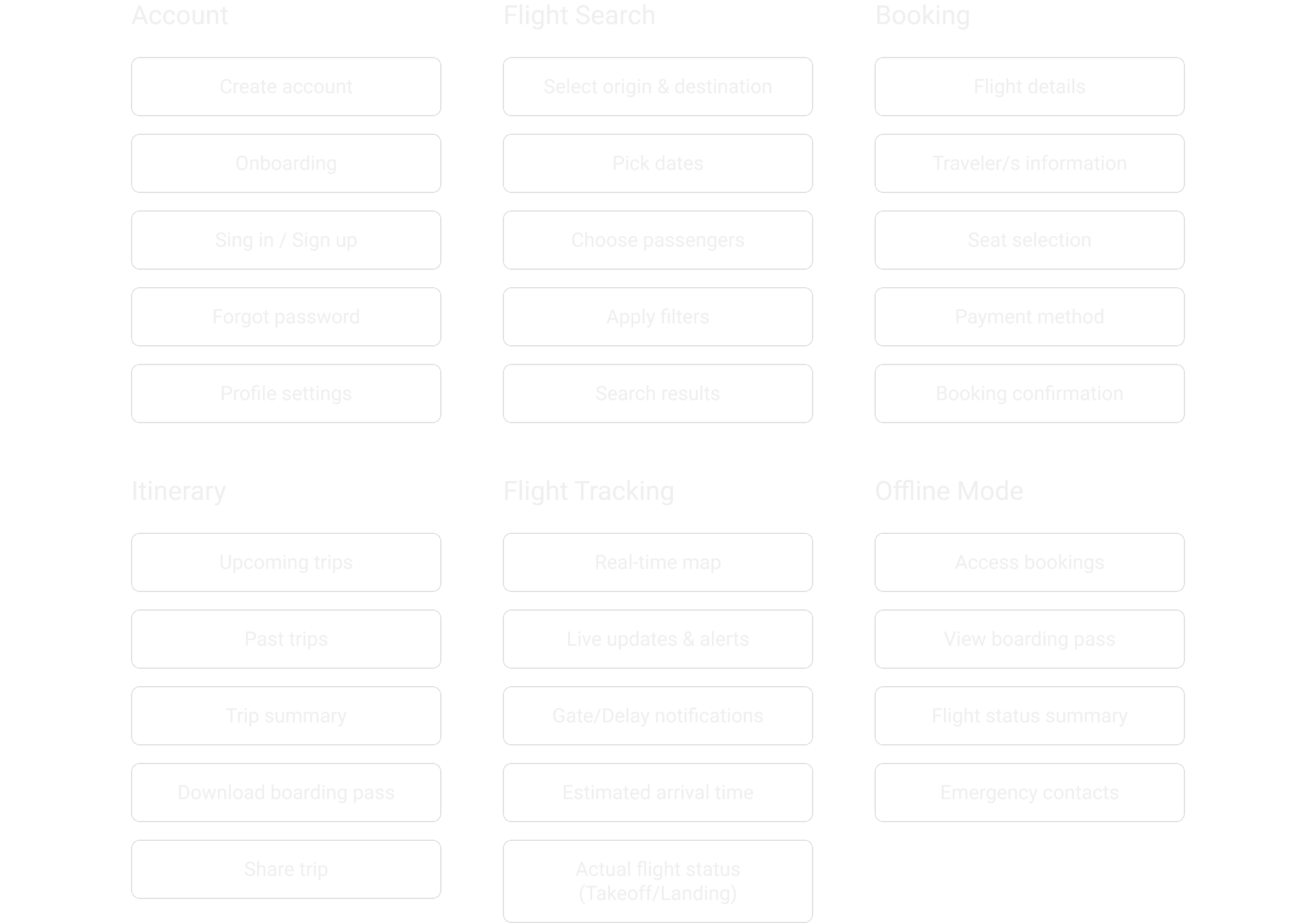
Once the users’ needs are clear, it’s time to translate them into functionality. During this stage, features are defined, grouped into logical sections, and ranked by priority.
This process helps set a clear direction for the product structure and ensures each section supports the user’s goals efficiently.
Objective
Define core features aligned with user needs.
Group features into clear, logical sections.
Establish hierarchy and flow between sections.
Iterate on feature definition based on feedback and constraints.
Information Architecture
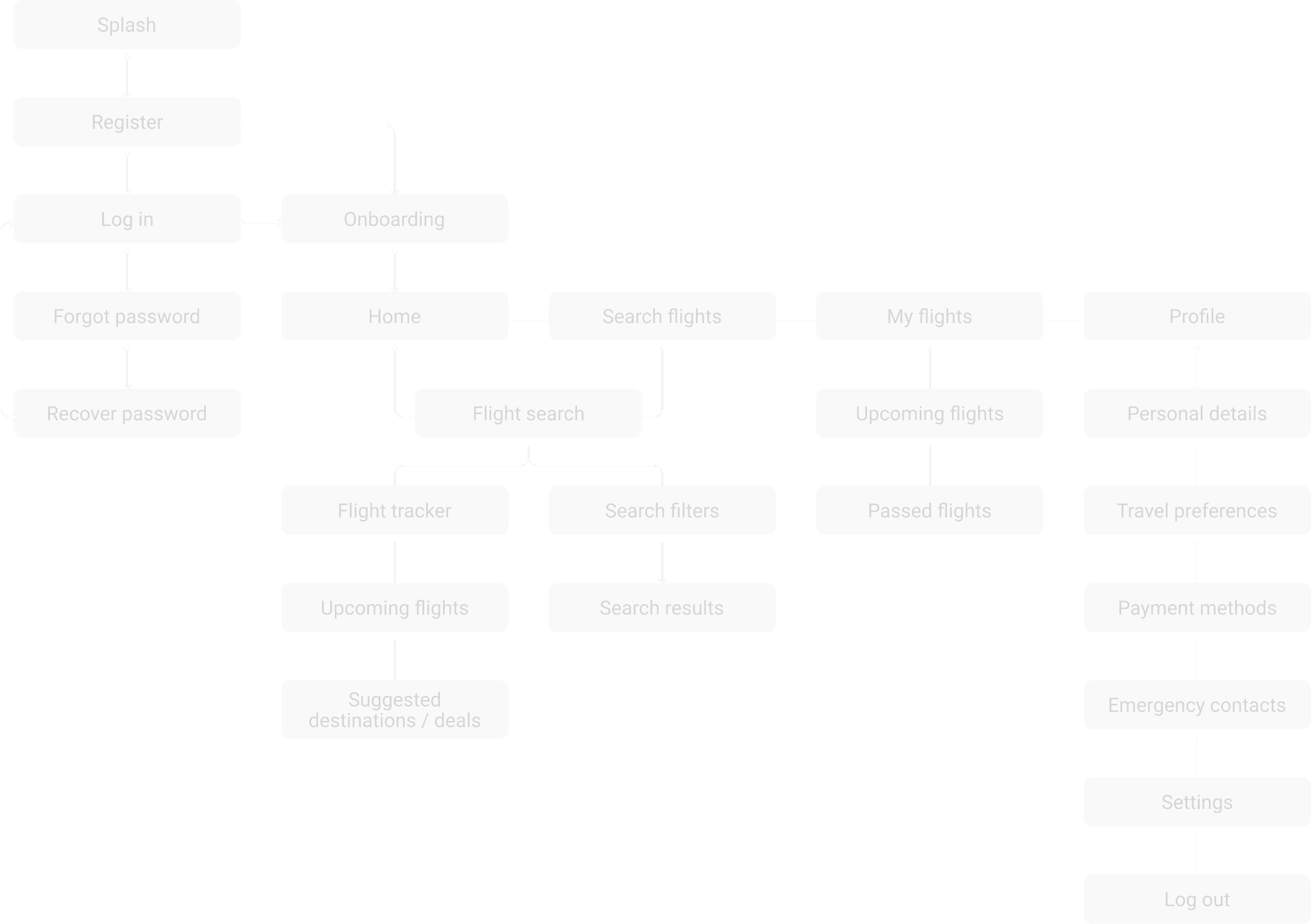
Information architecture (IA) defines how the content is organized and connected within the app. It helps users navigate seamlessly and supports their goals by creating intuitive paths across features. With TravelEase, the IA was designed to ensure travelers could quickly access flight information, bookings, and tools without confusion.
Objective
Define the essential pages and their hierarchy
Group content based on user mental models
Enable smooth navigation and scalability across future features
Wireframes & Flows
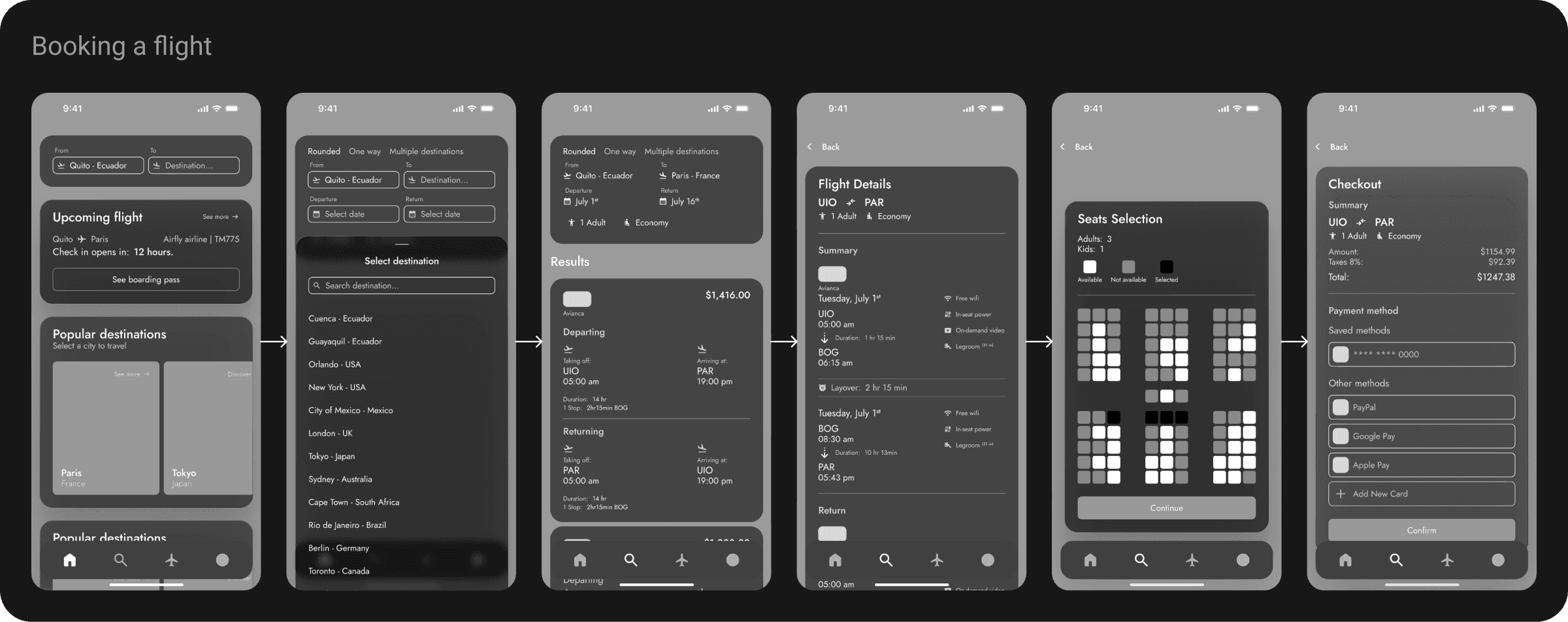
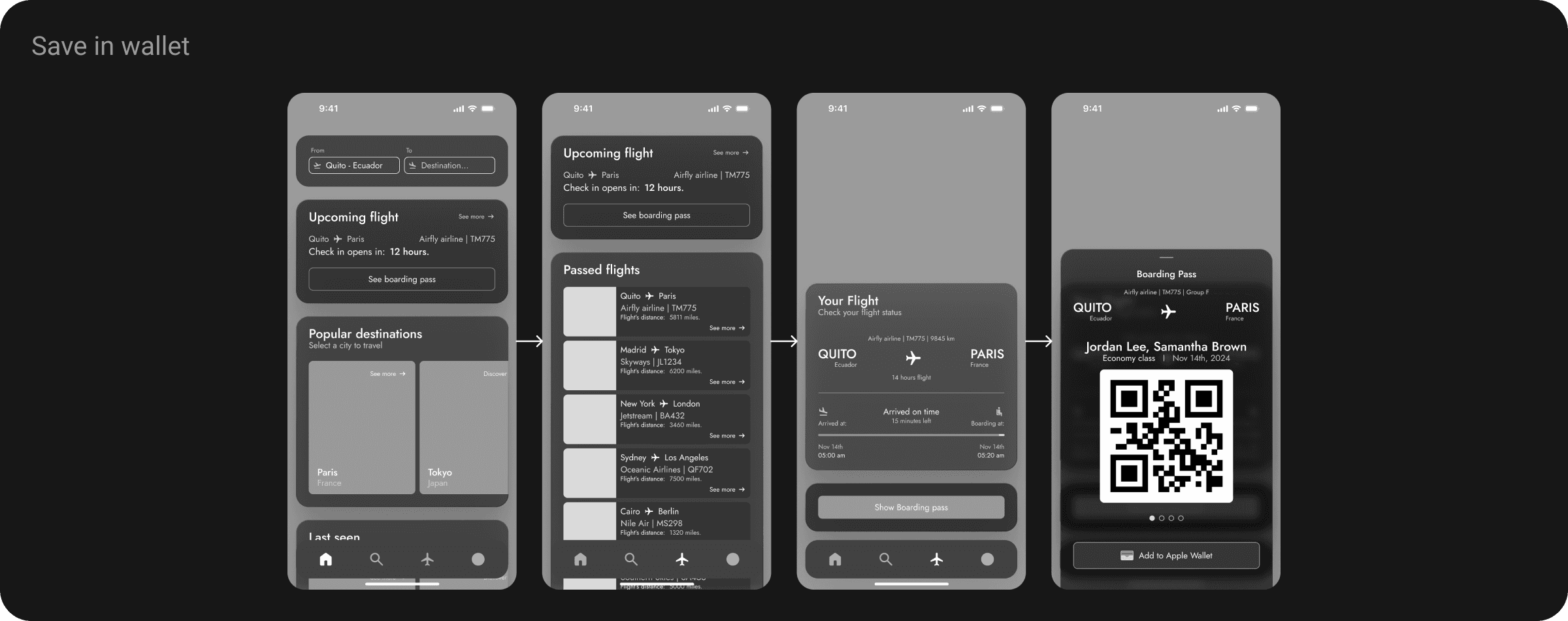
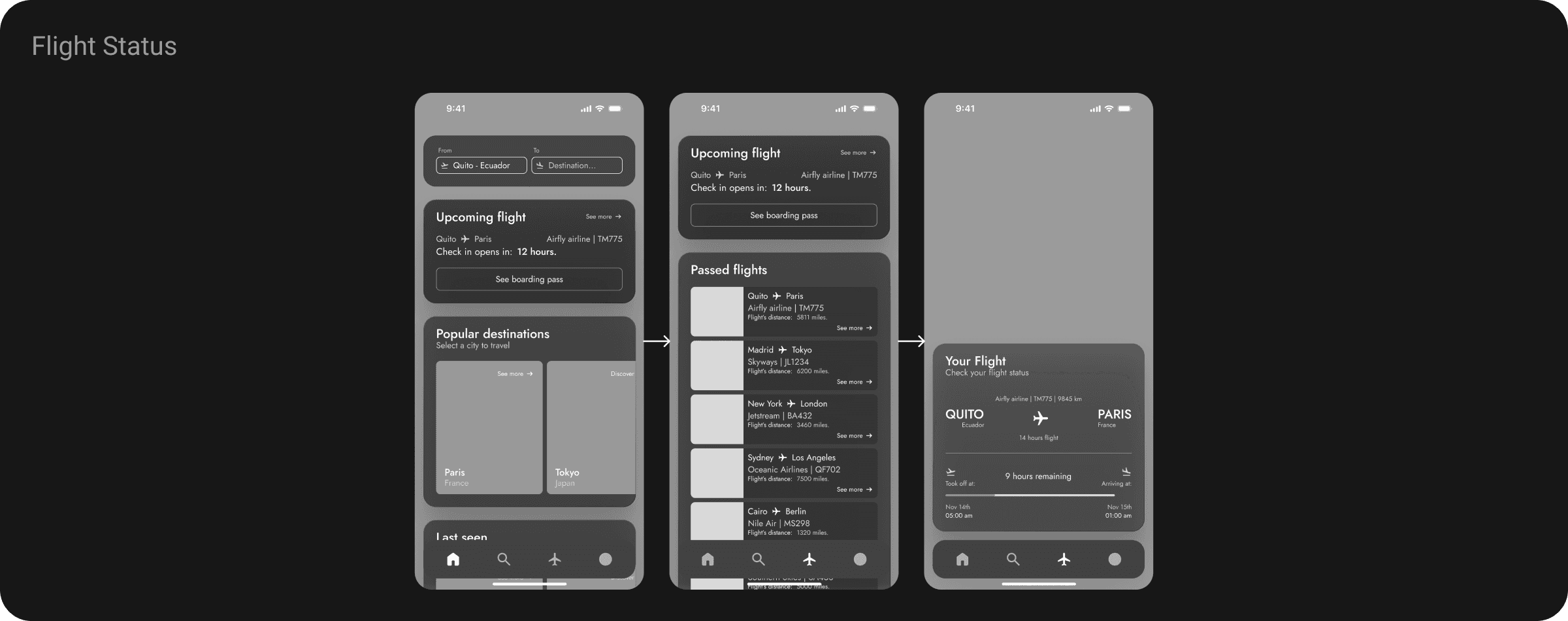
Before moving into visual design, I created mid-fidelity wireframes to define the core user flows and interactions. These wireframes focus on usability, hierarchy, and navigation clarity, helping ensure a smooth experience from booking to boarding.
Objective
To visualize the app’s key interactions before high-fidelity design.
To validate the core user journeys early in the process.
To communicate behavior, hierarchy, and navigation in a clear and scannable format.
User Testing
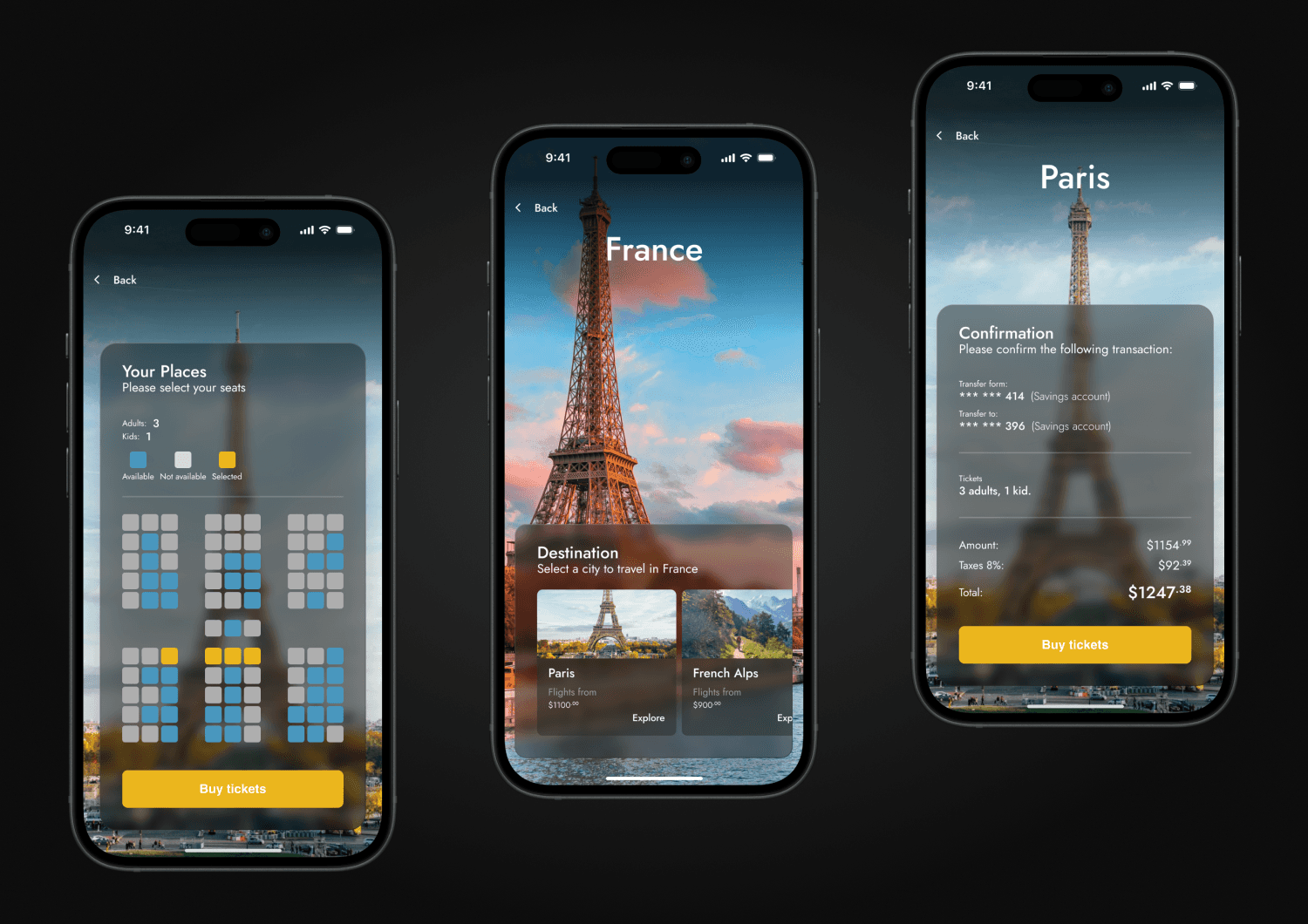
To ensure the experience was both intuitive and effective, I conducted multiple rounds of user testing using interactive prototypes. The feedback allowed me to refine flows, improve clarity, and deliver a smoother experience for all traveler types.
Objective
Validate the usability of the key flows.
Identify friction points and refine micro-interactions.
Ensure that design decisions aligned with real user behavior.
User Interface Design
Content
Design System
The App
Tools
Design System
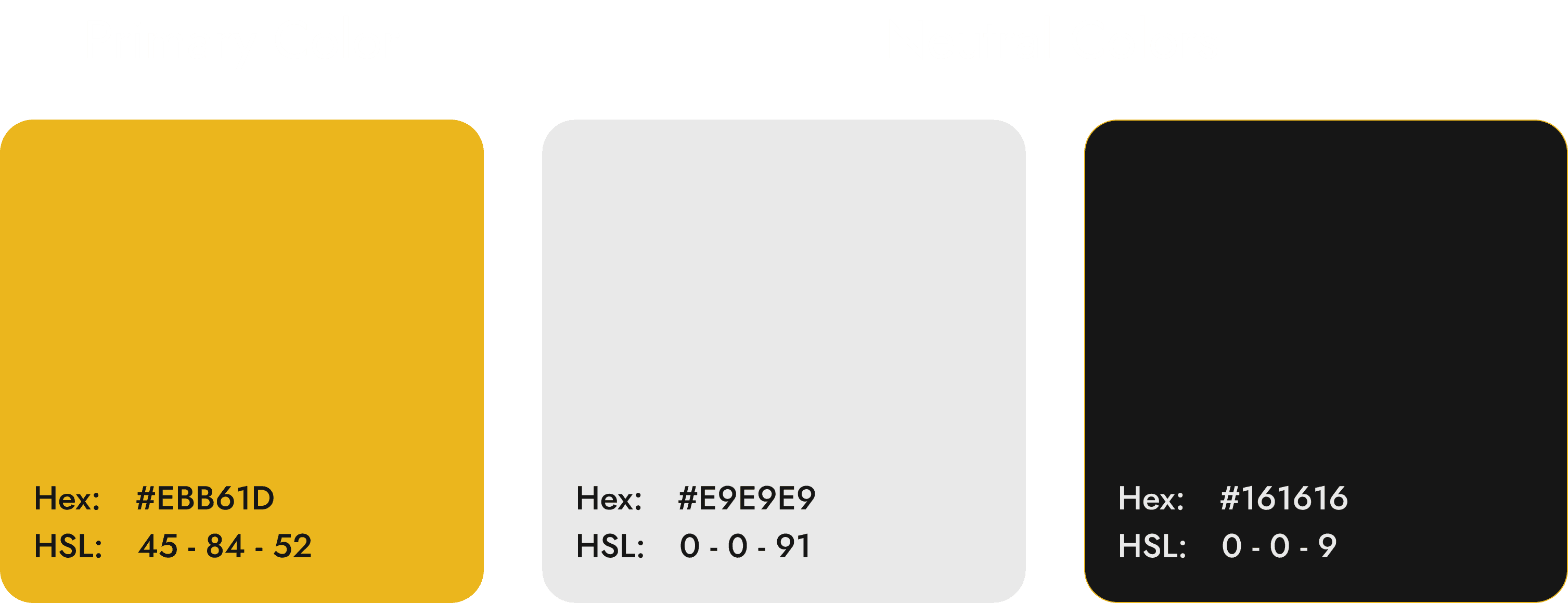
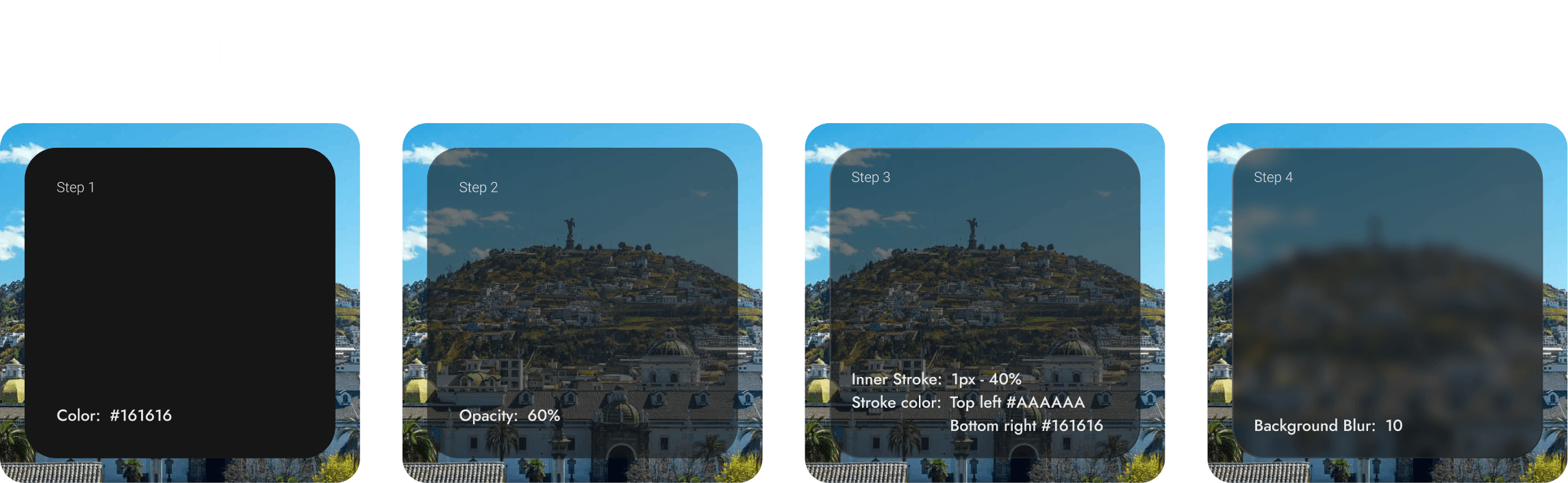
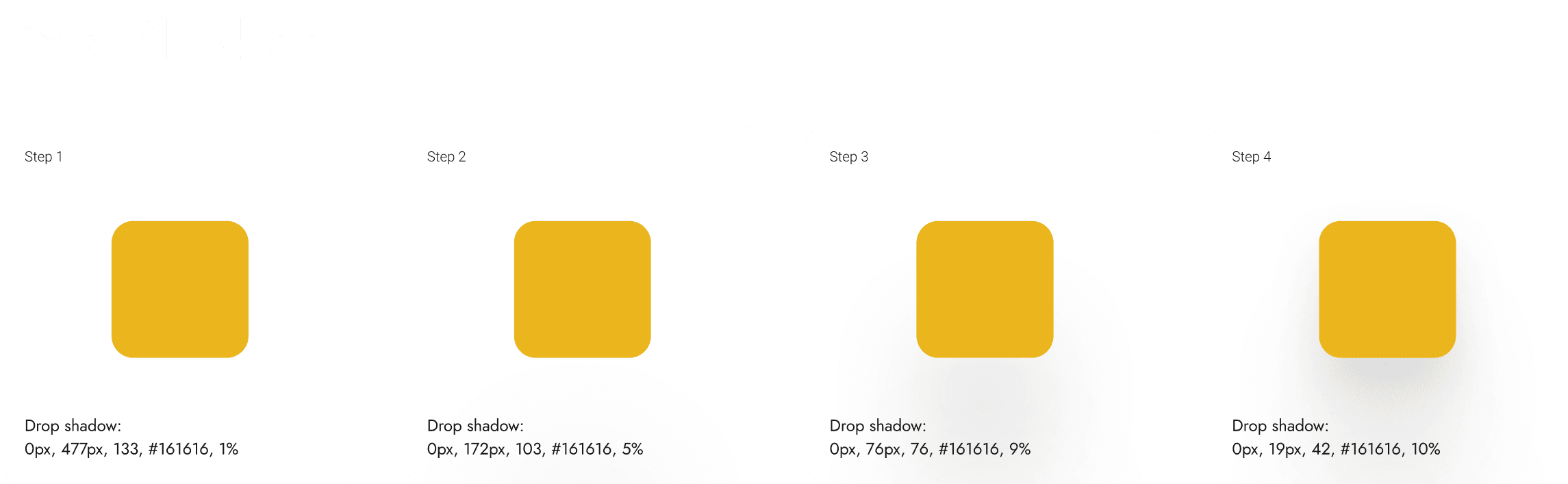
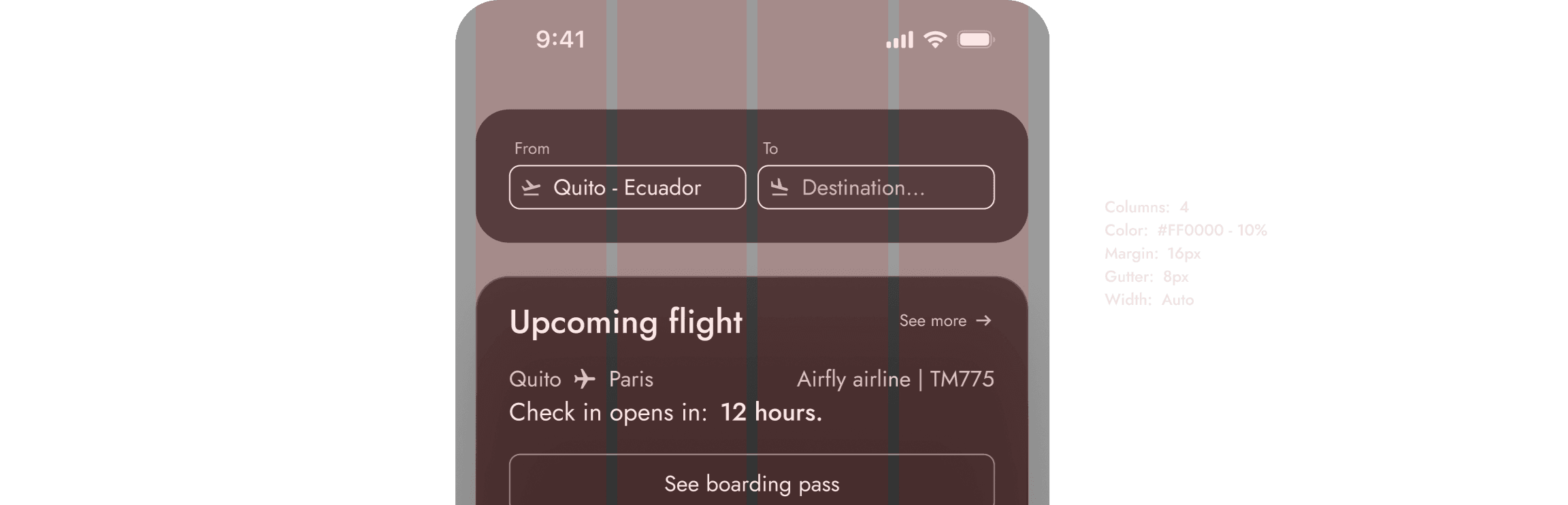
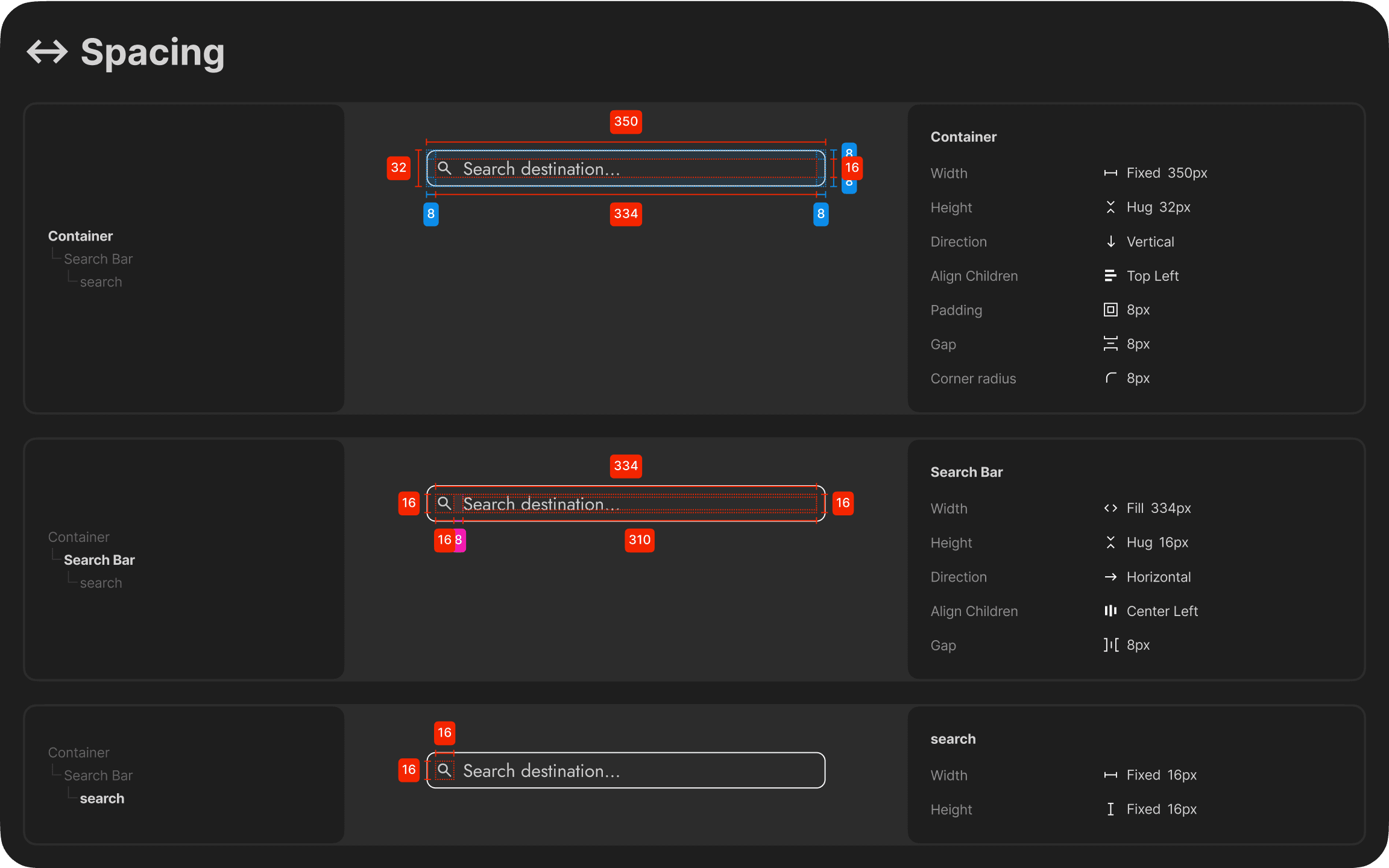
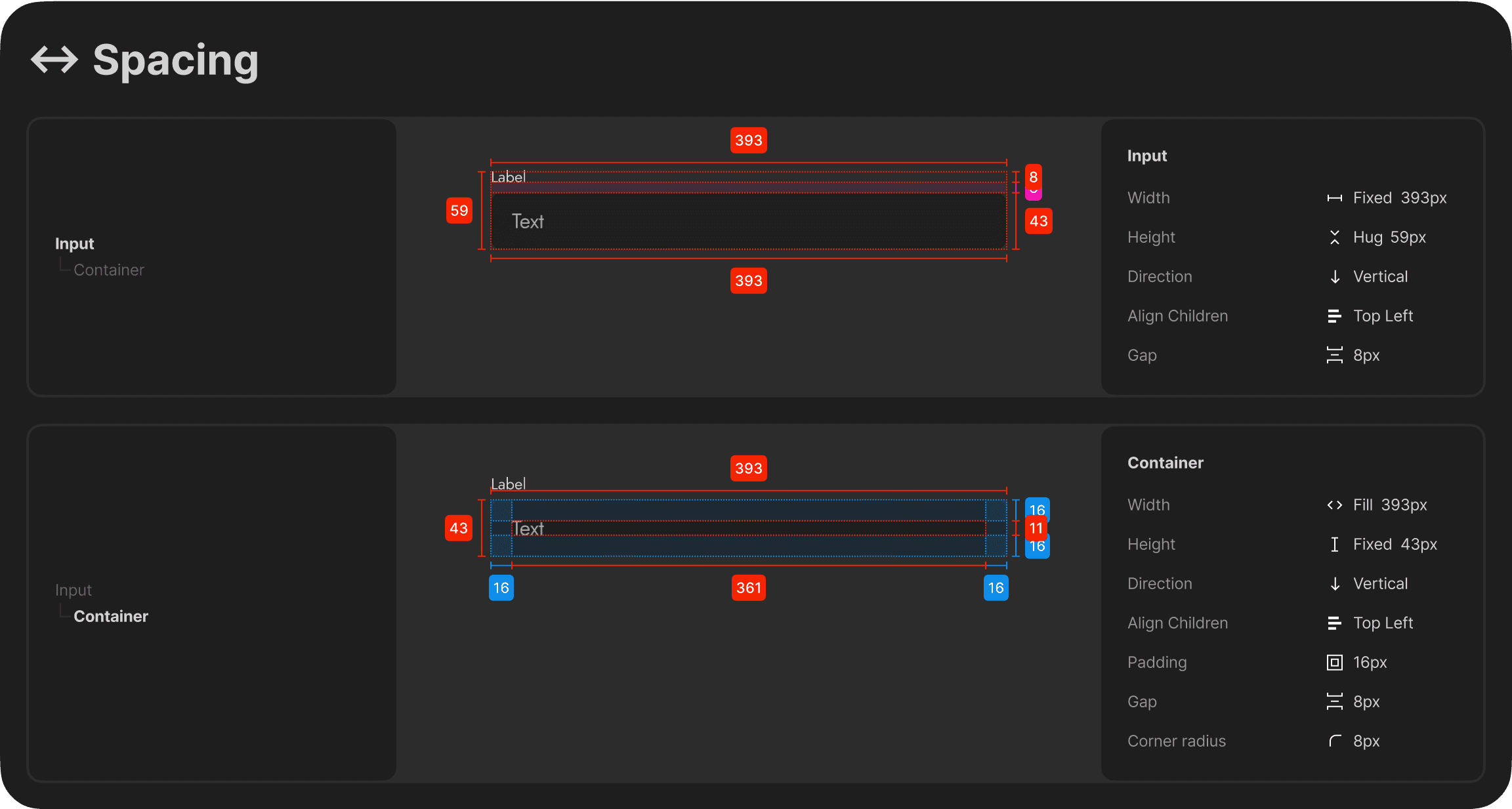
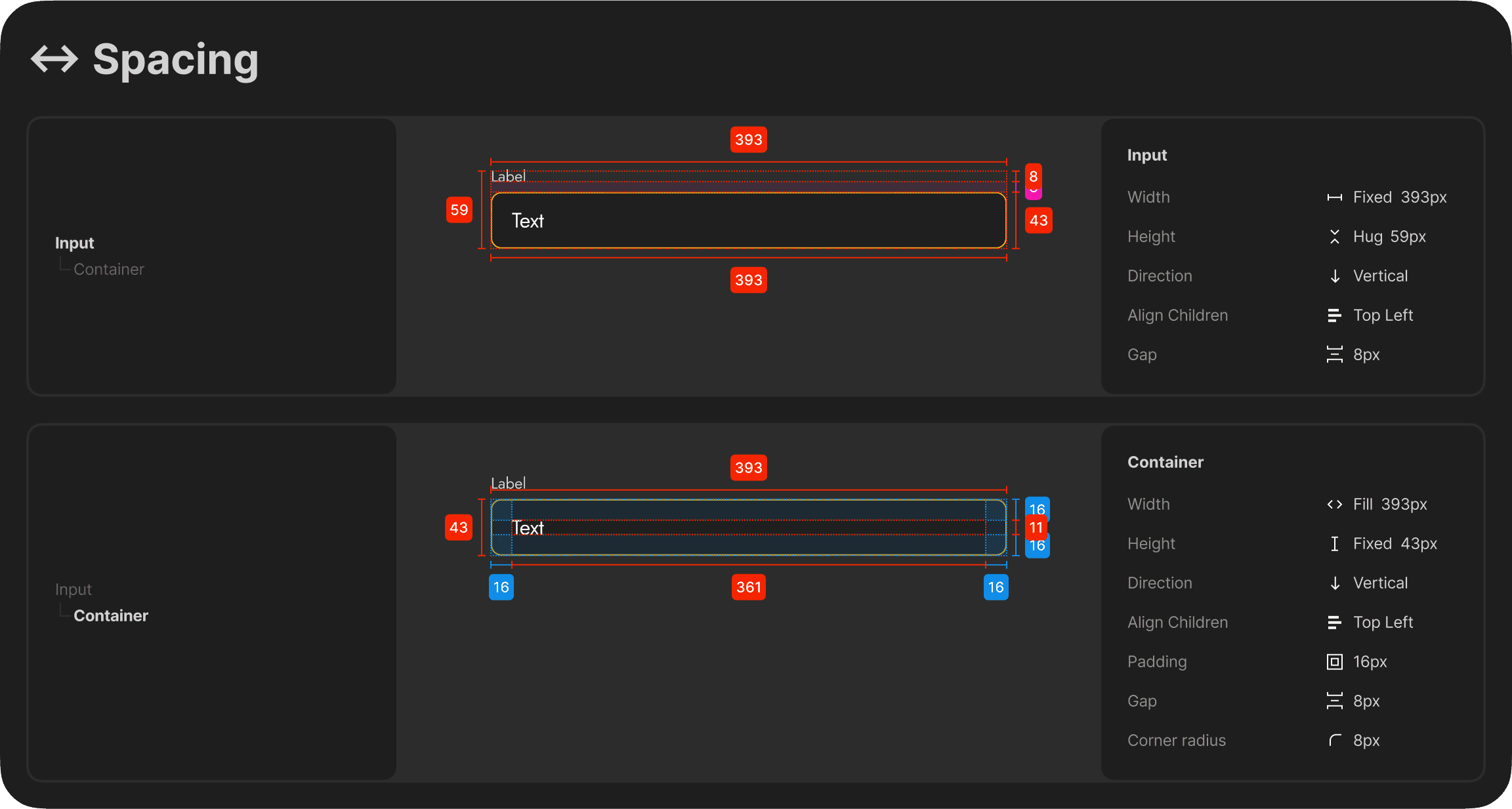
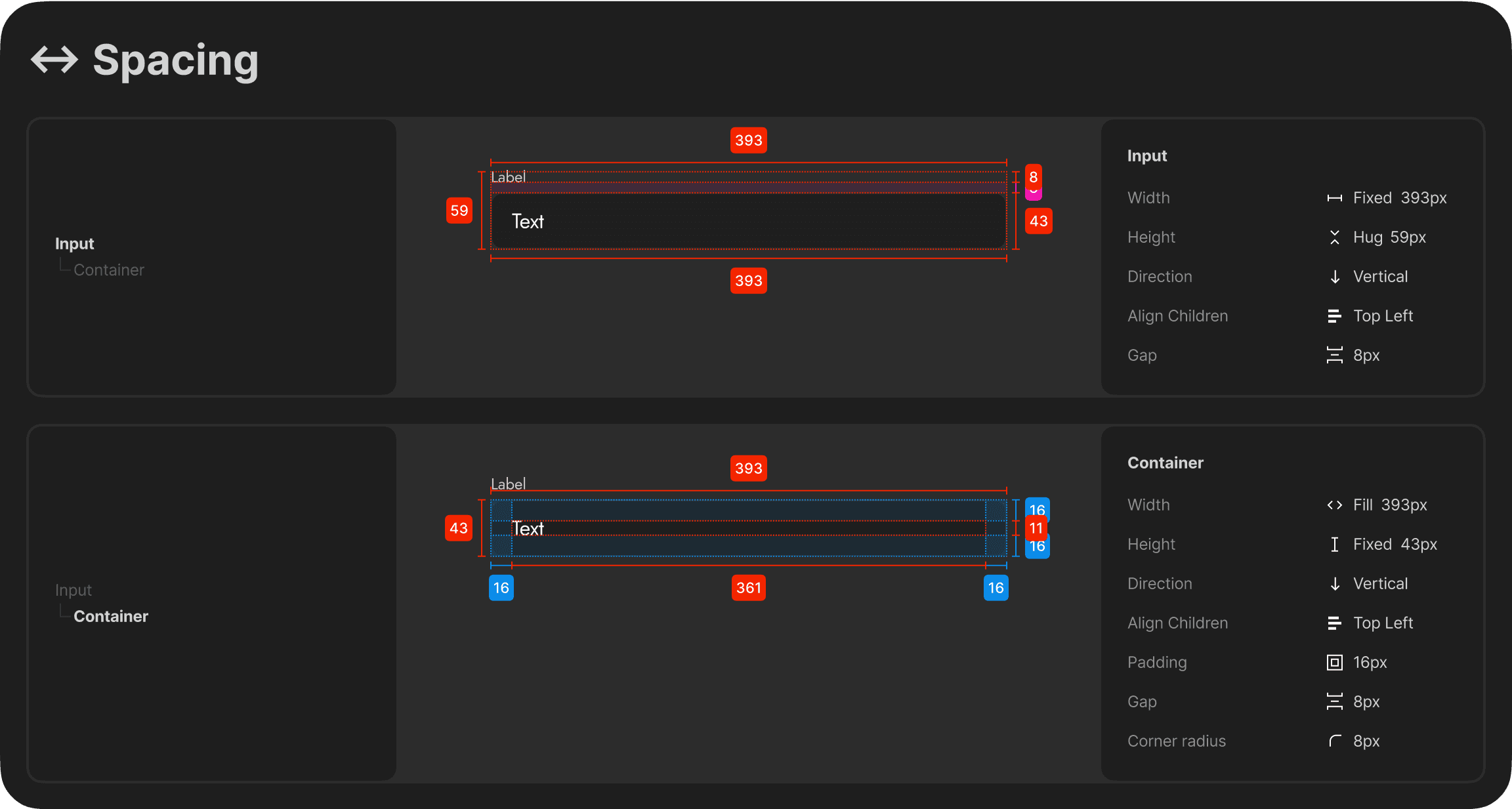
To ensure visual consistency and efficient scalability, I built a modular design system tailored to TravelEase. It included components, color tokens, and typographic rules optimized for usability and clarity across all screens.
Objectives
Maintain a consistent visual language across the app.
Enable faster iterations and streamlined handoff to developers.
Support accessibility and responsiveness through scalable components.
Facilitate team collaboration and version control with structured design tokens.
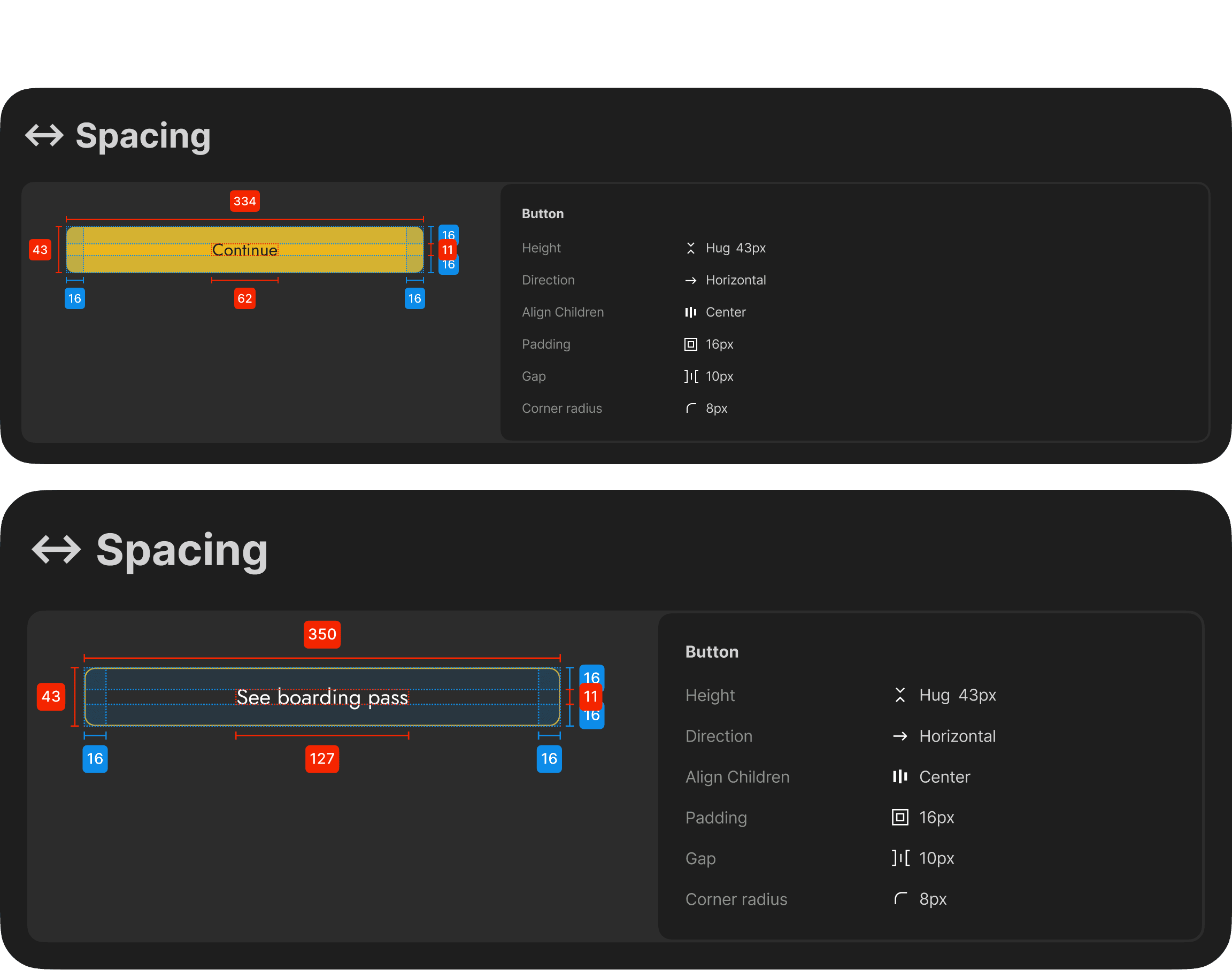
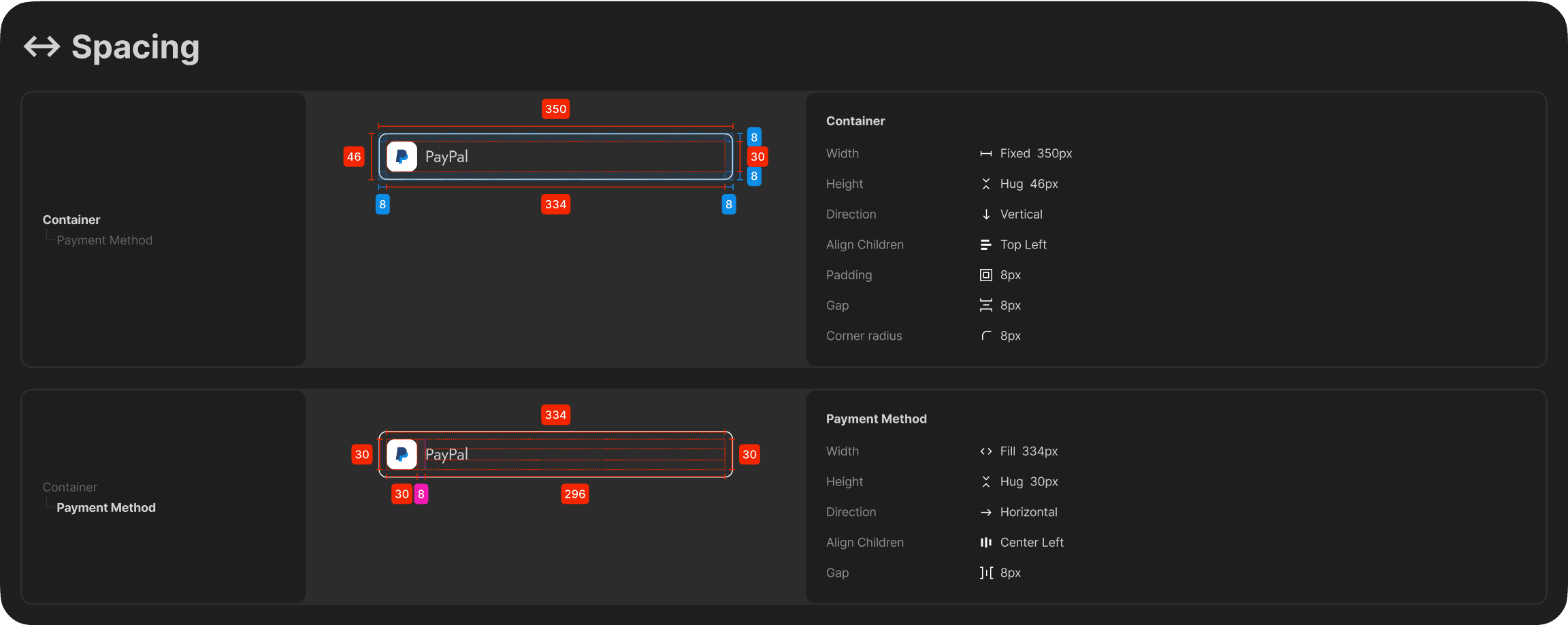
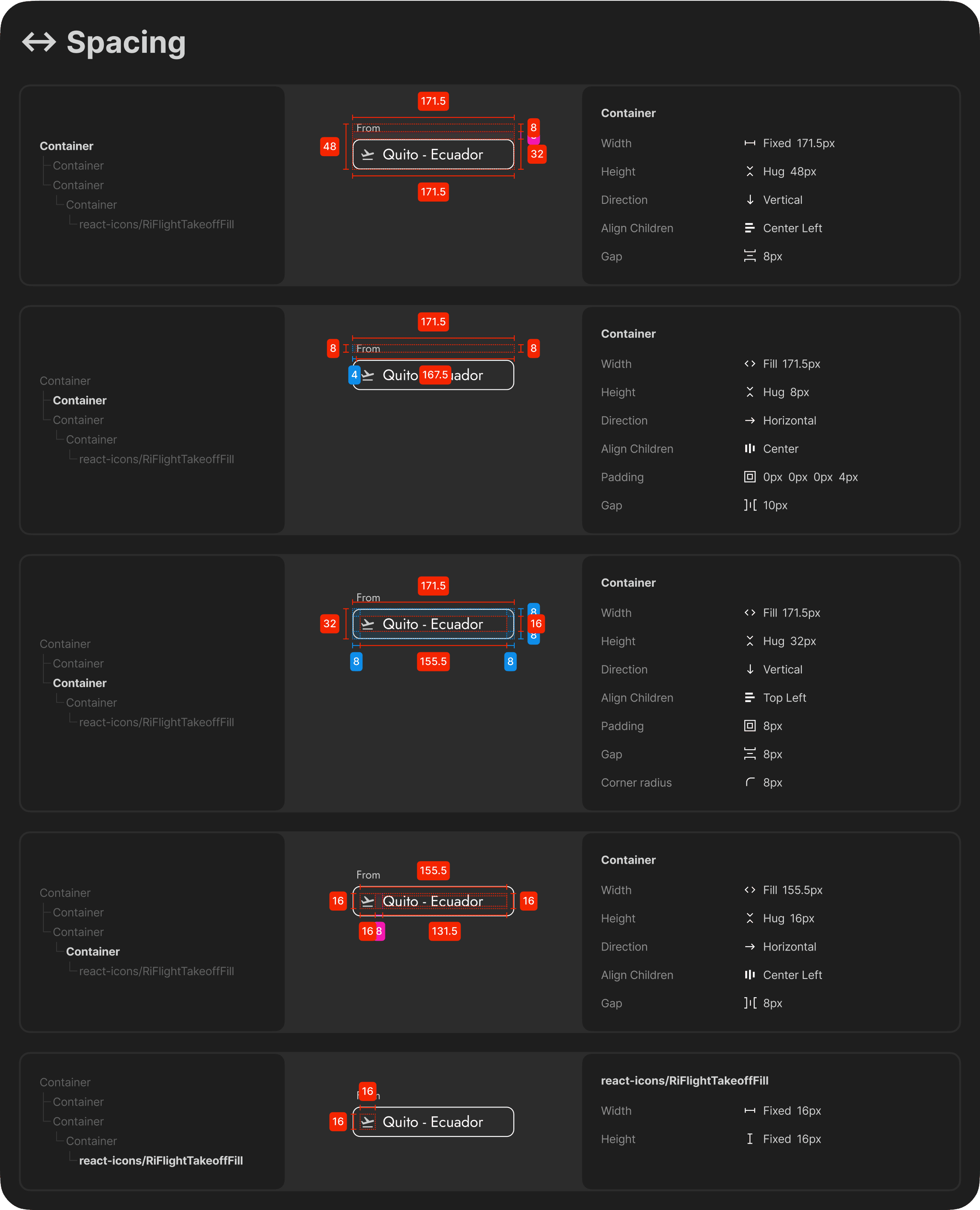
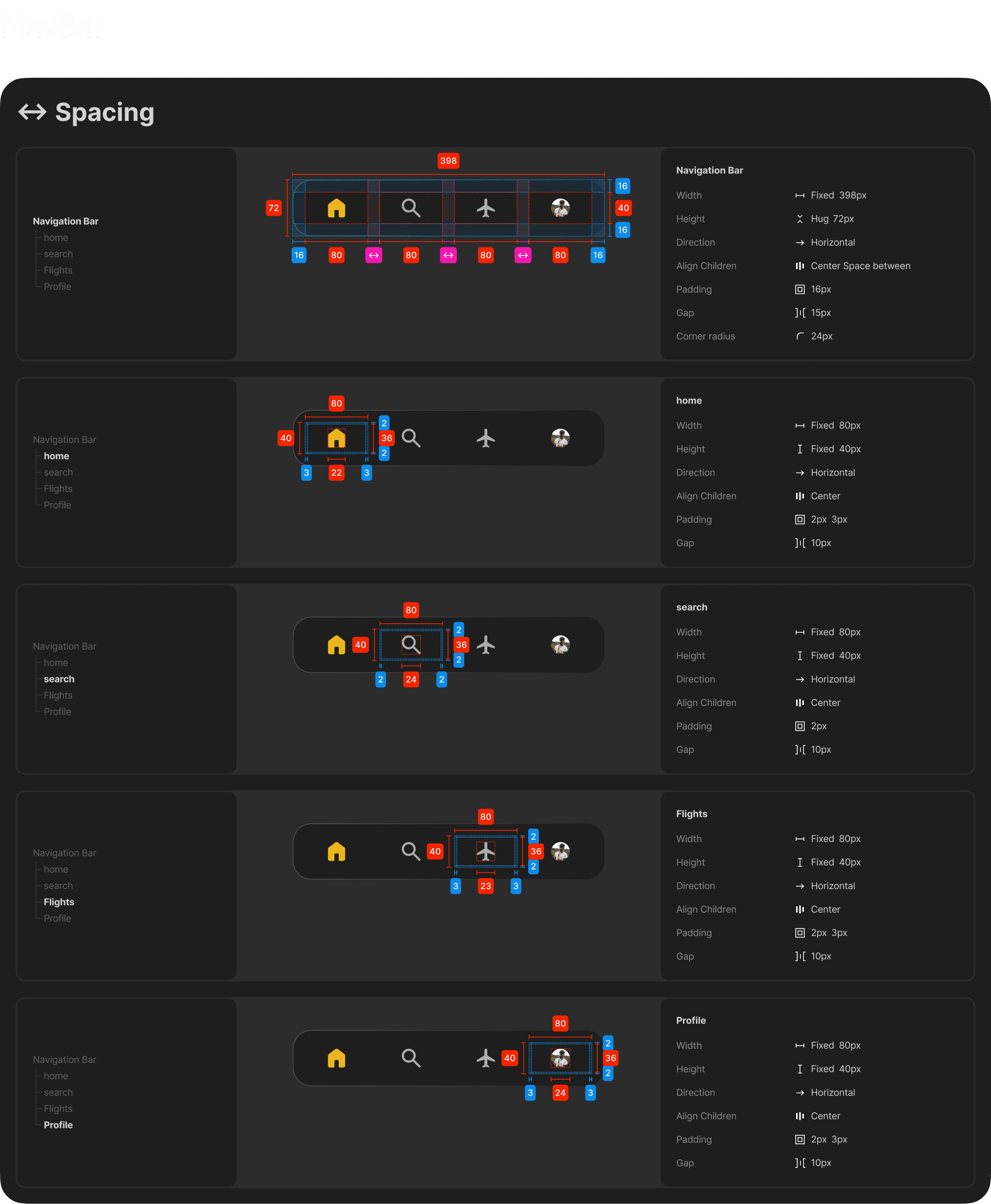
Spacing

Effects
Grid
Typography
Icons

Components
Inputs
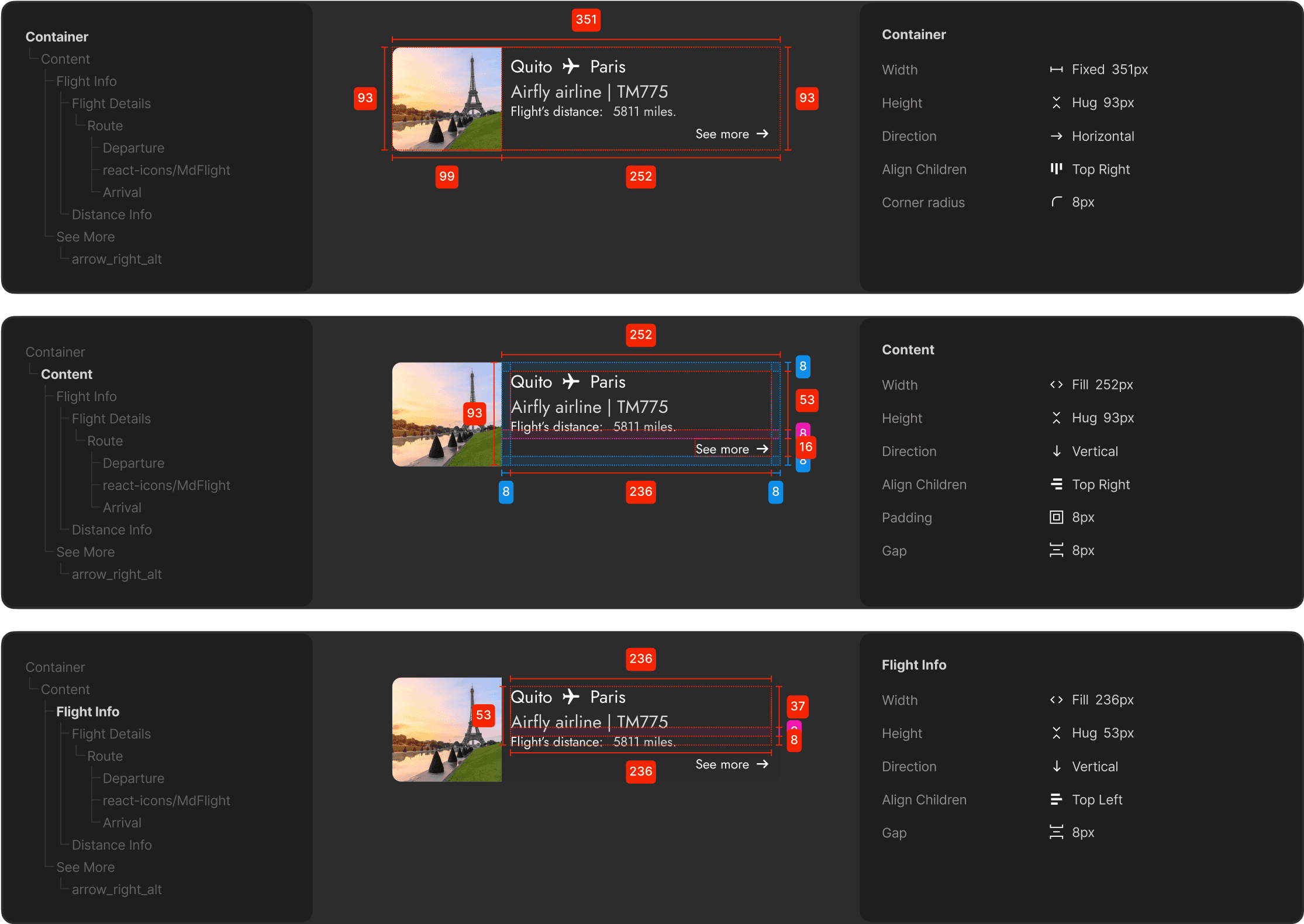
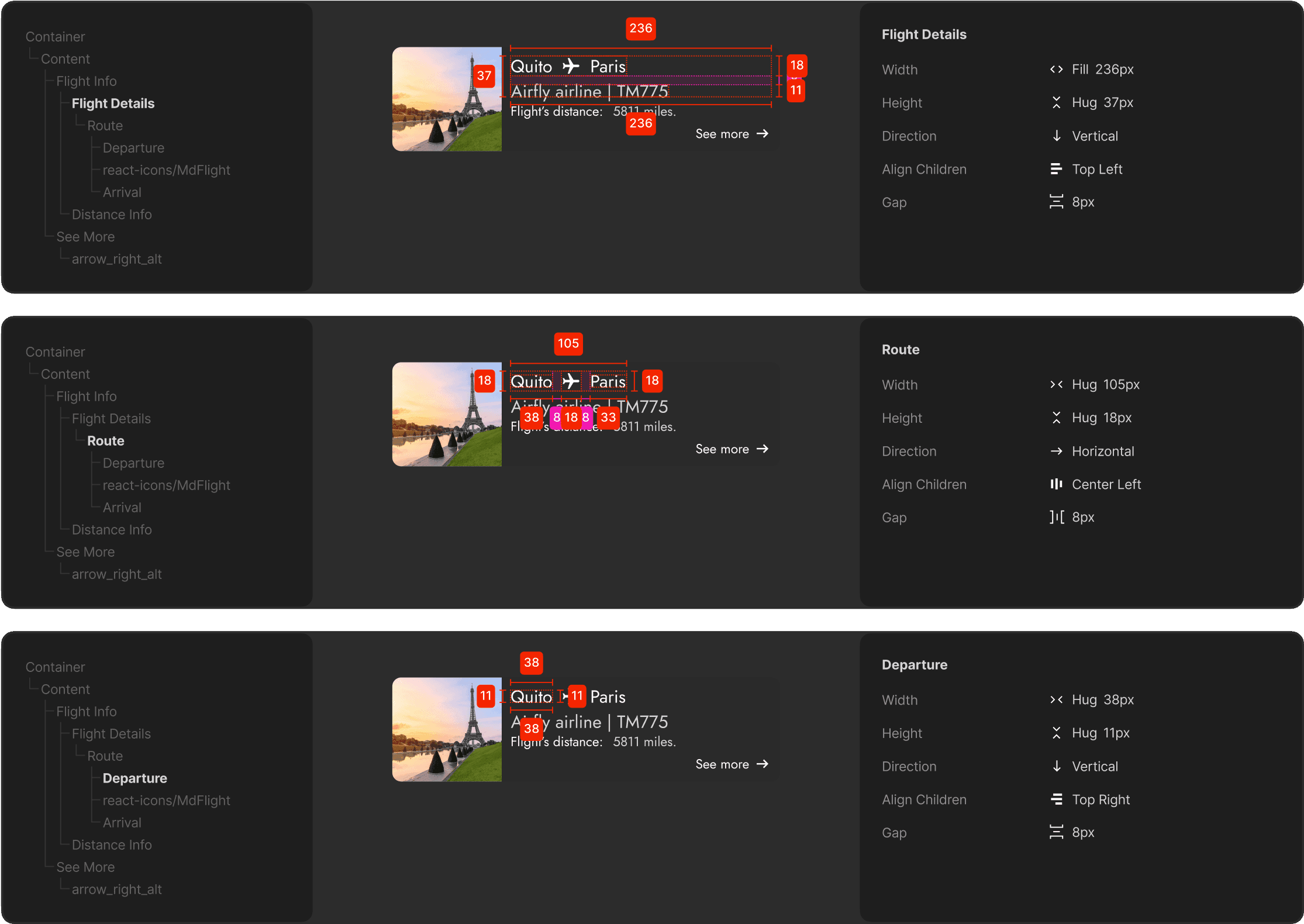
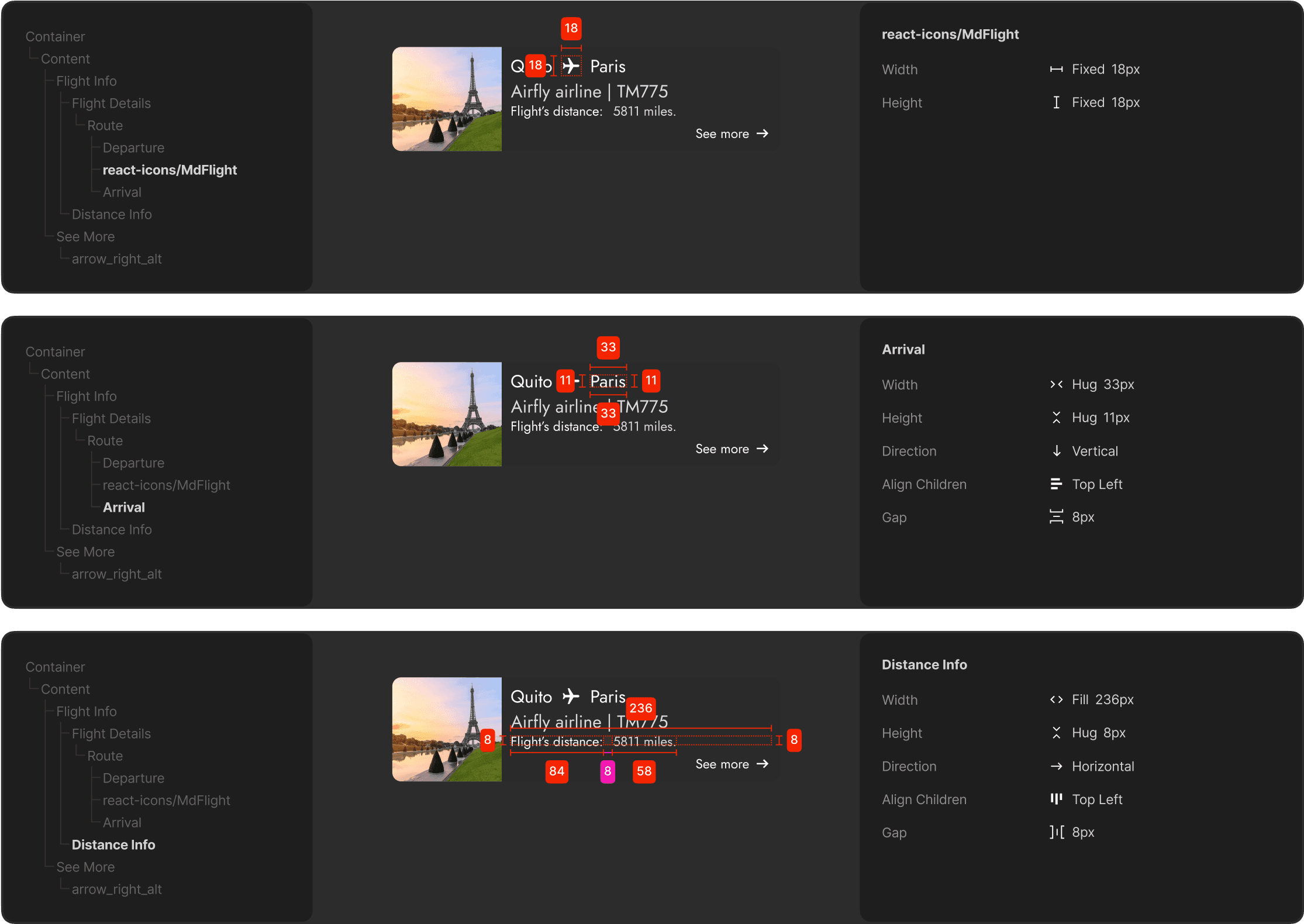
Cards
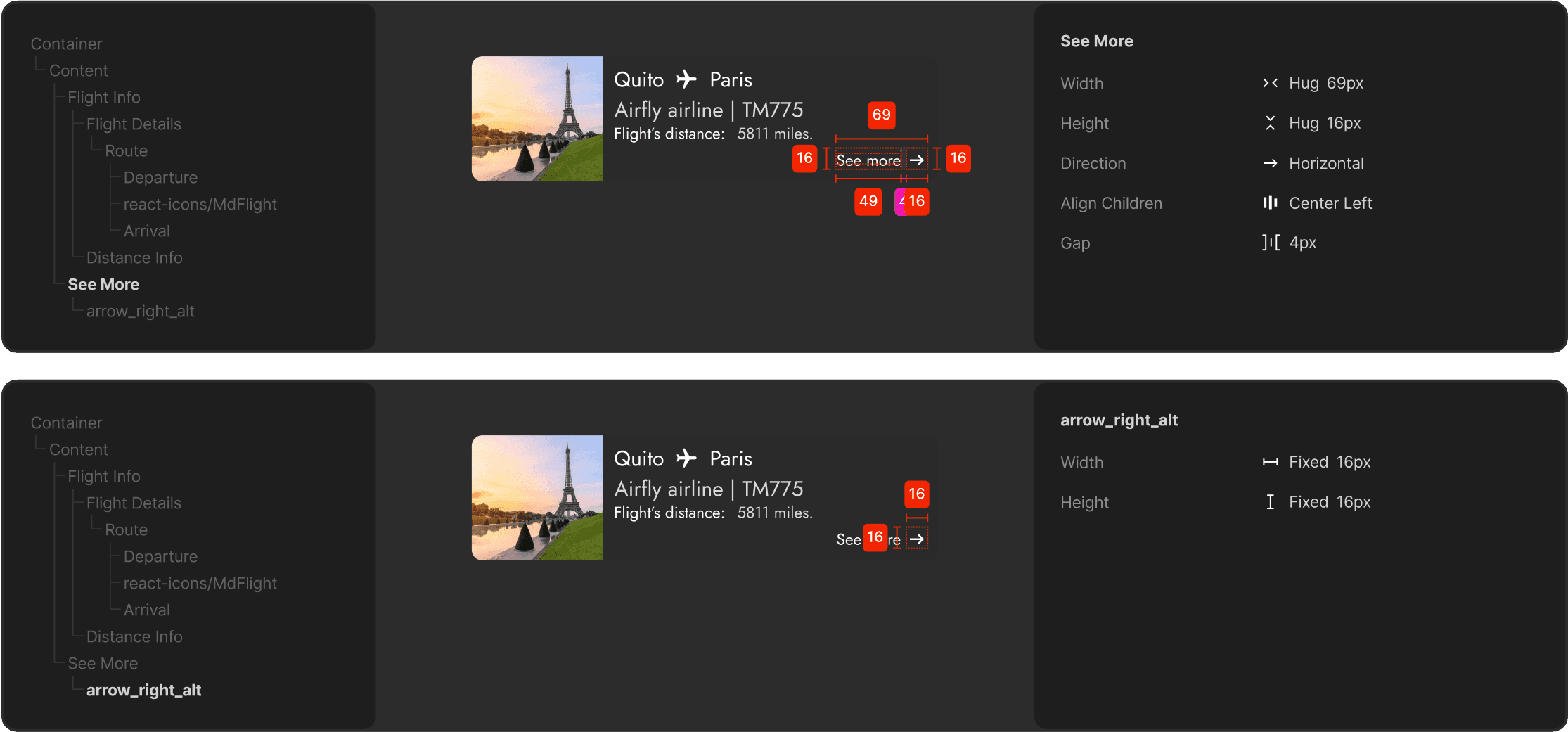
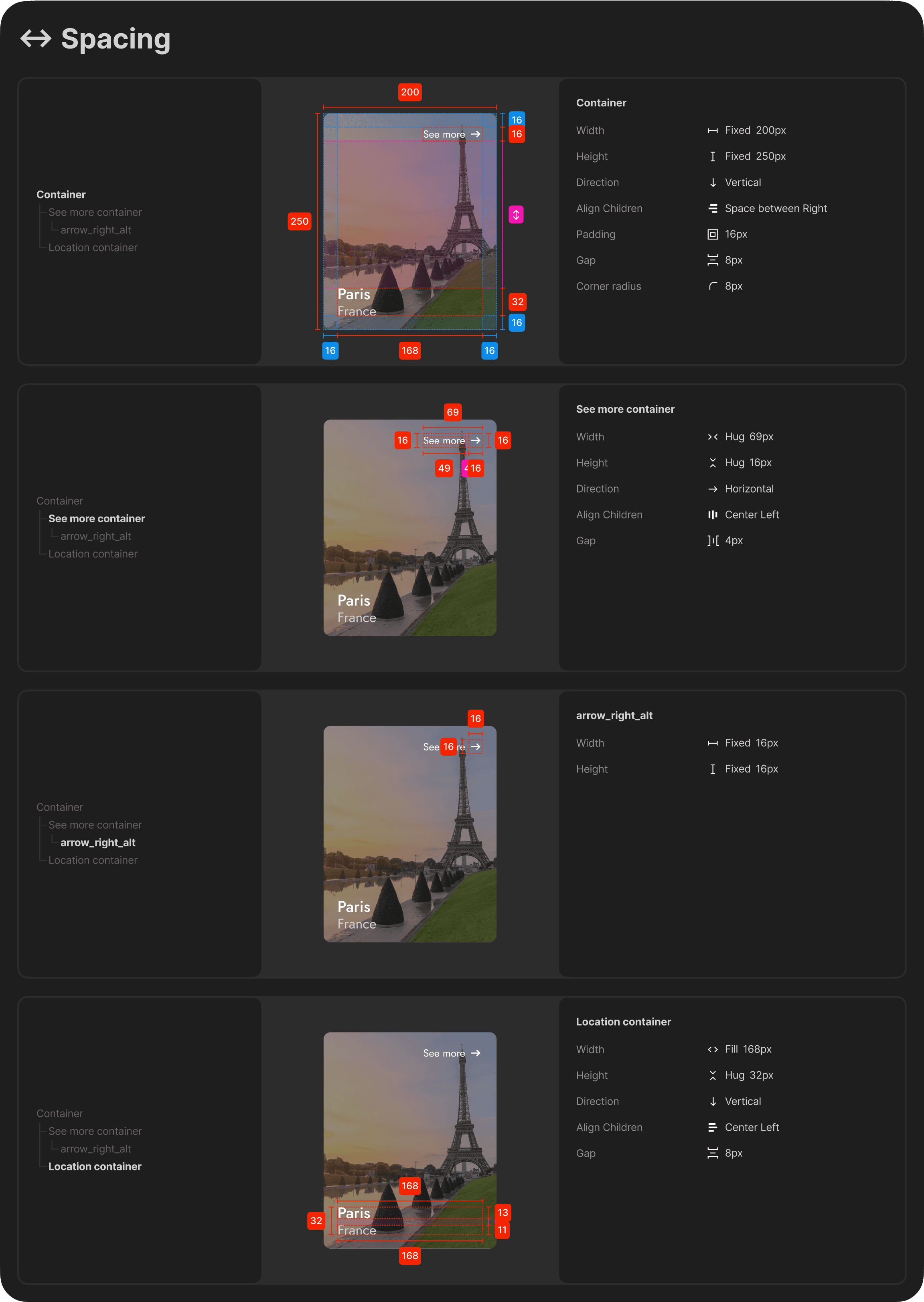
↔ Spacing
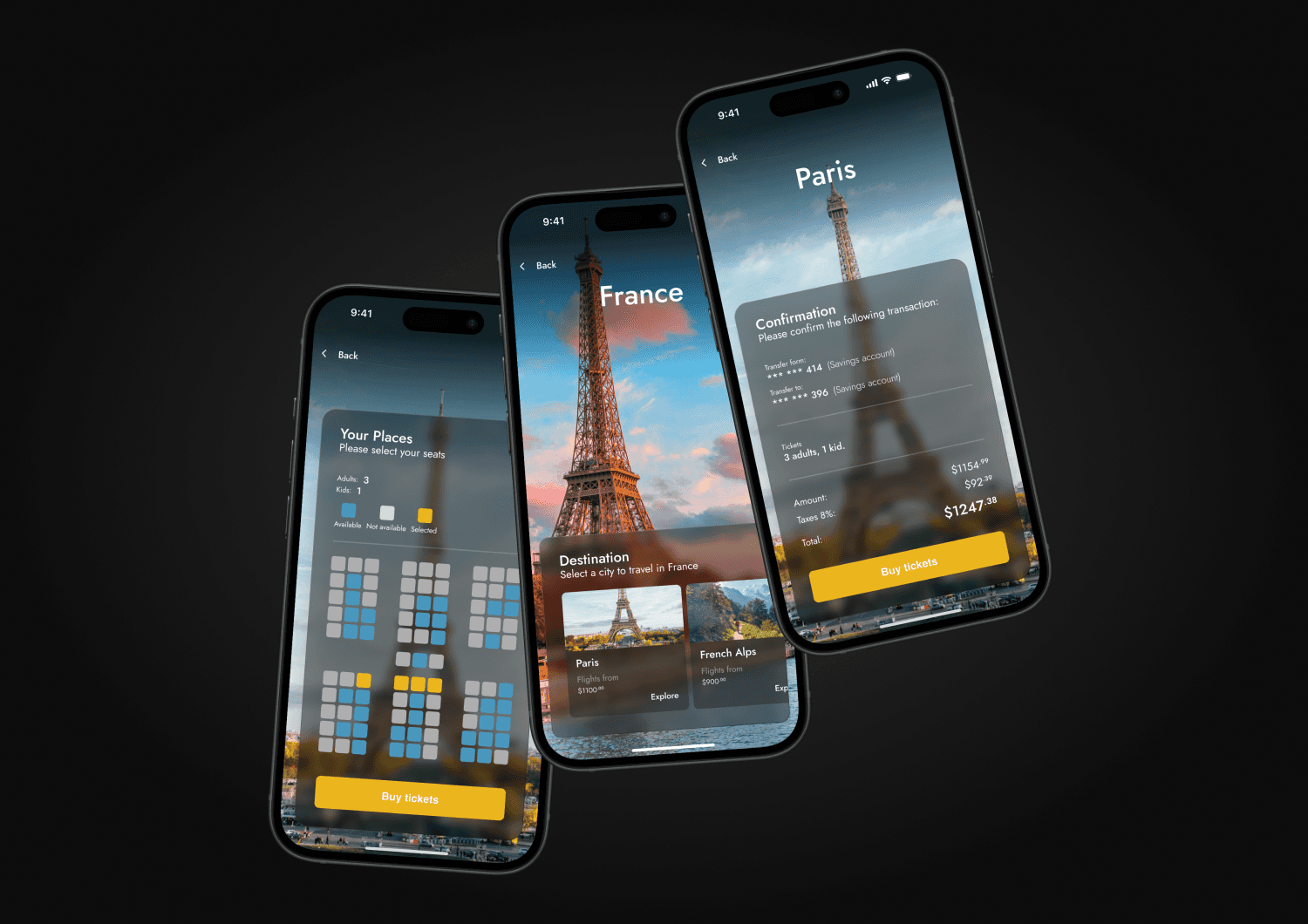
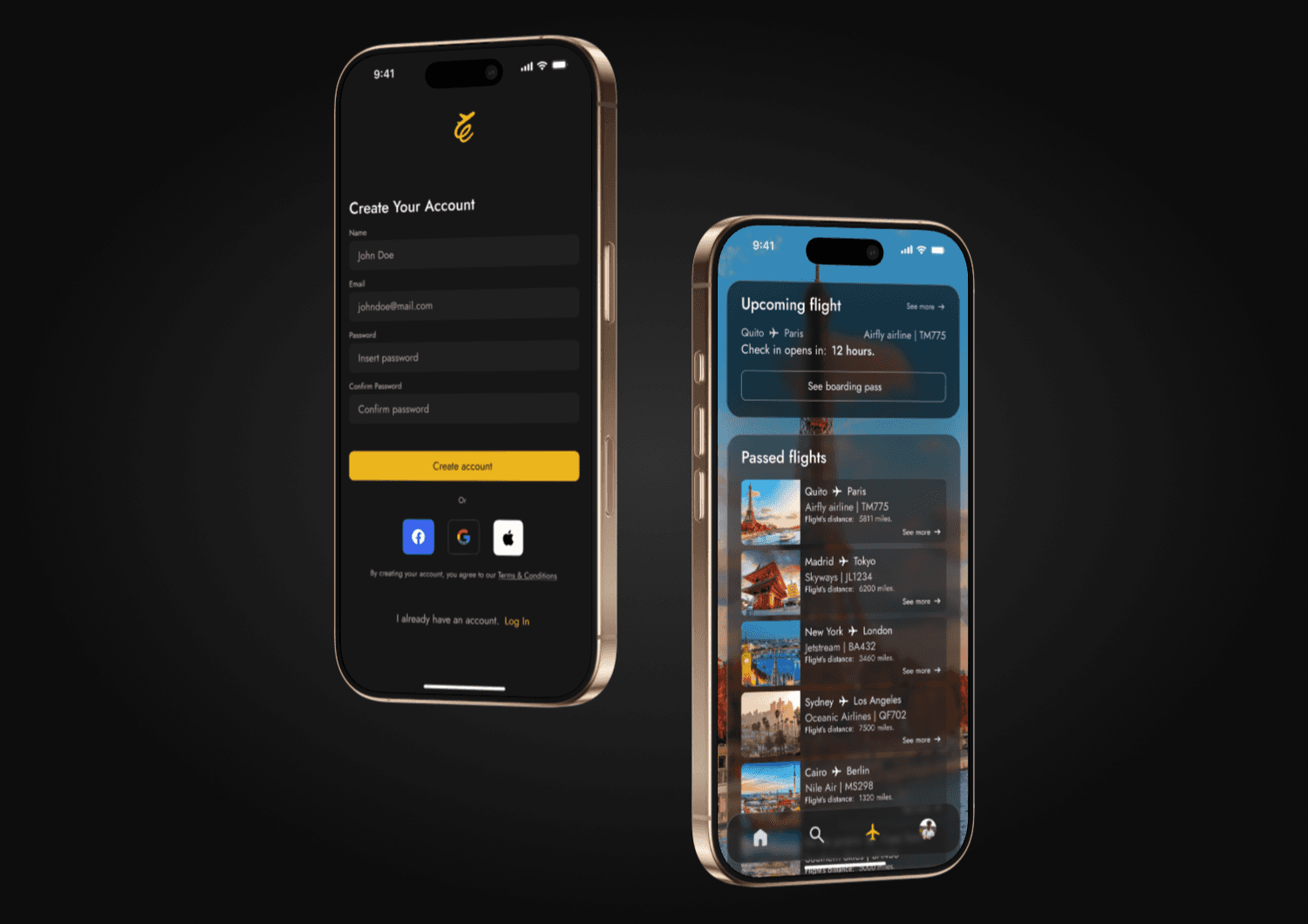
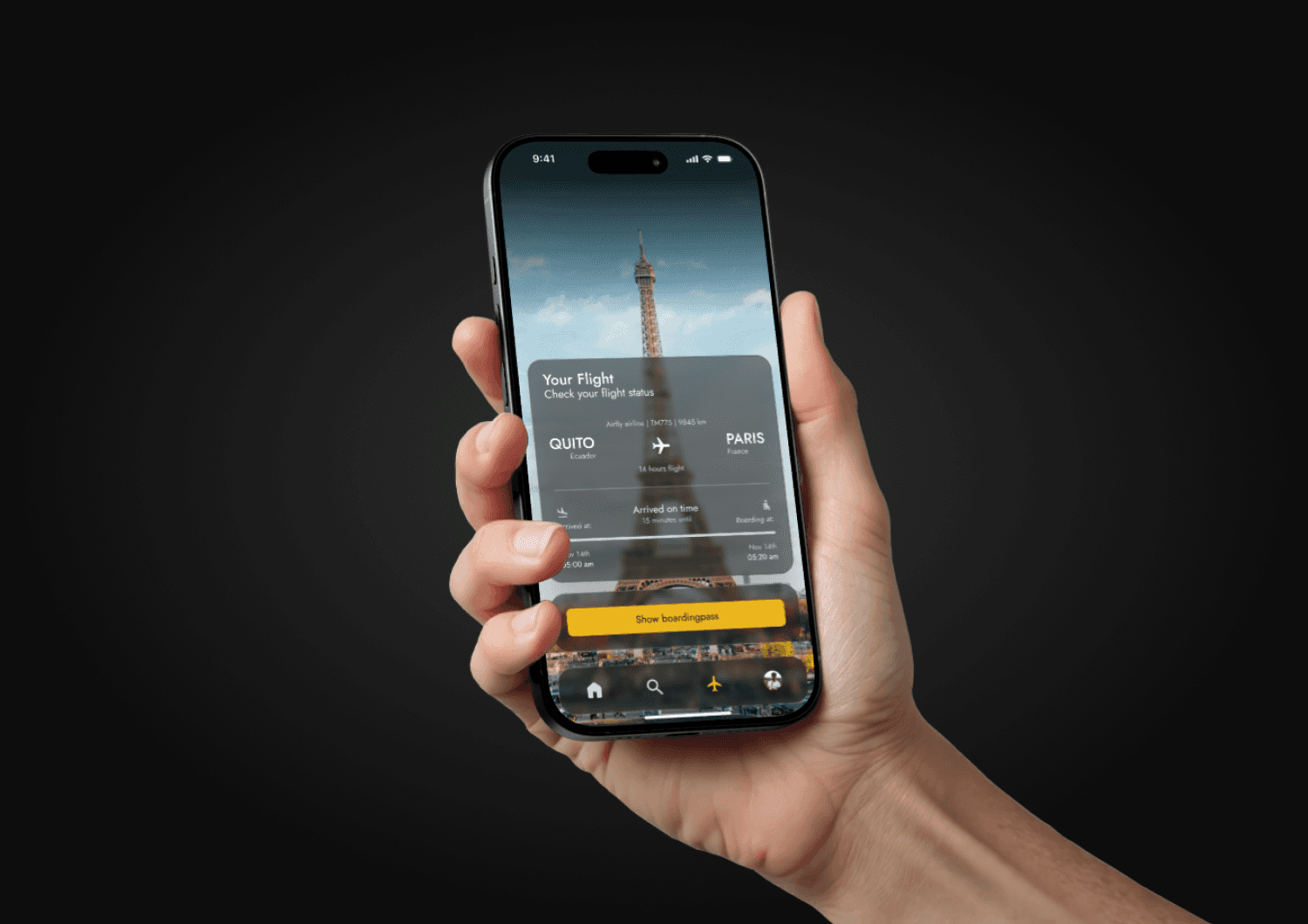
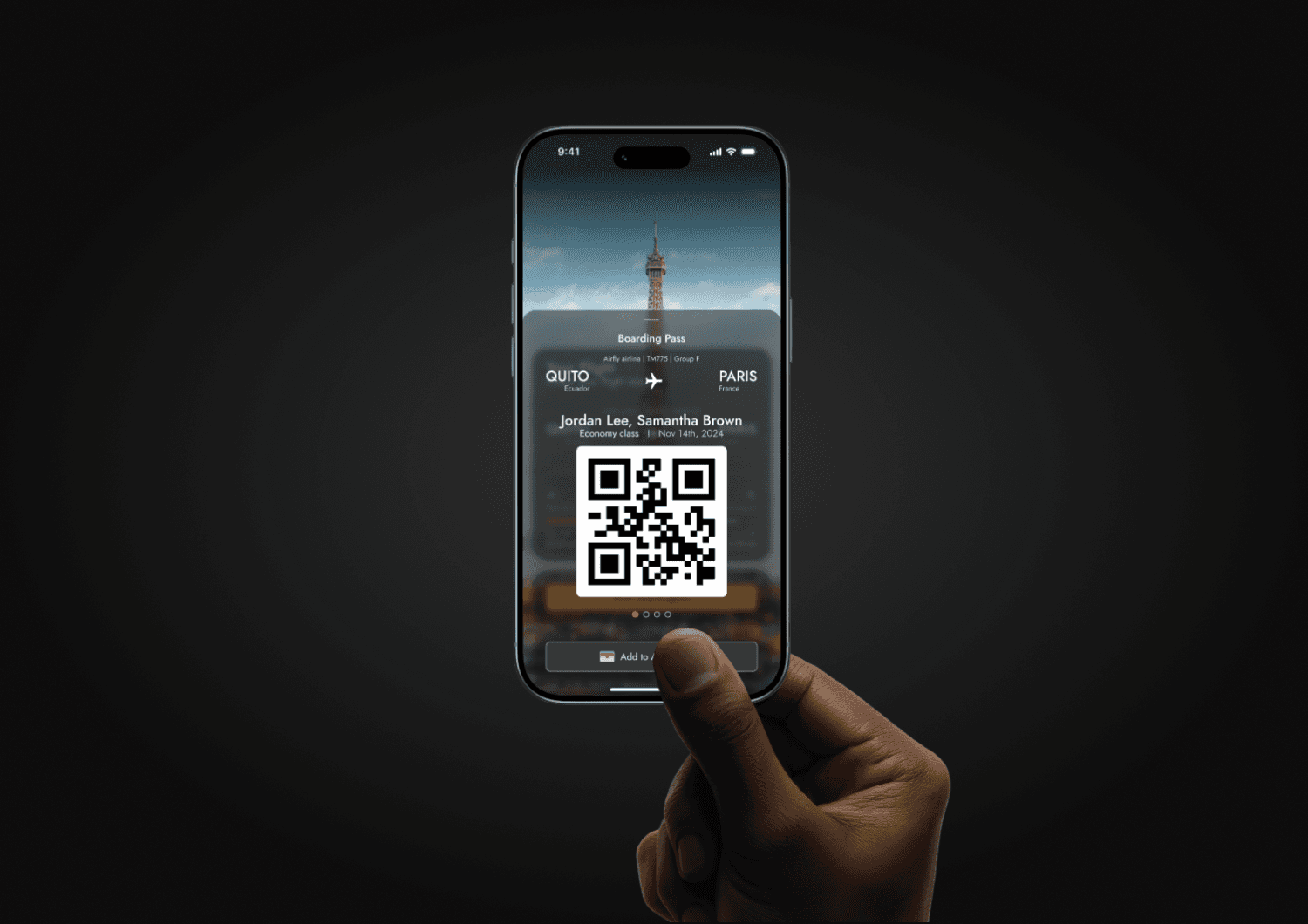
The App
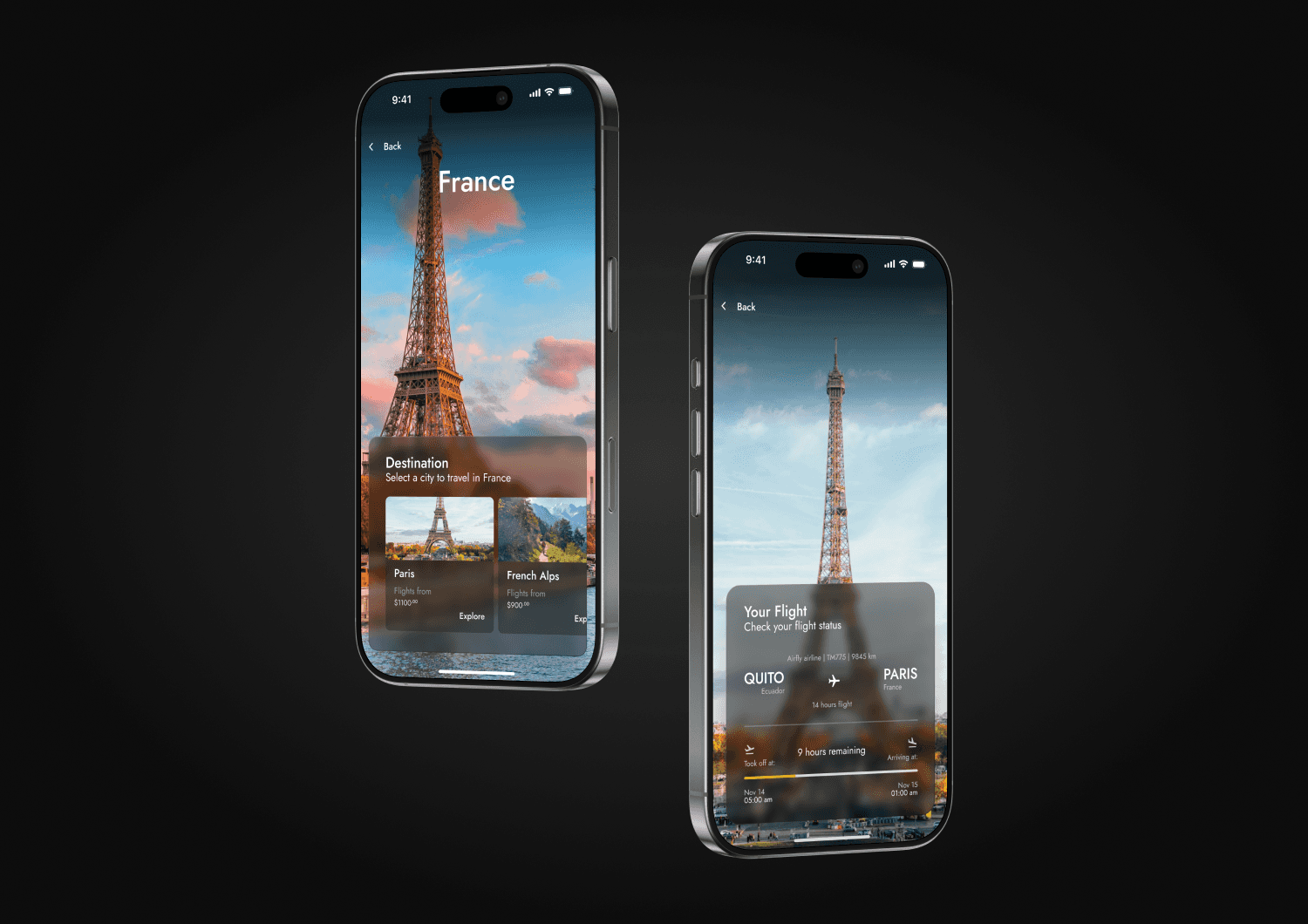
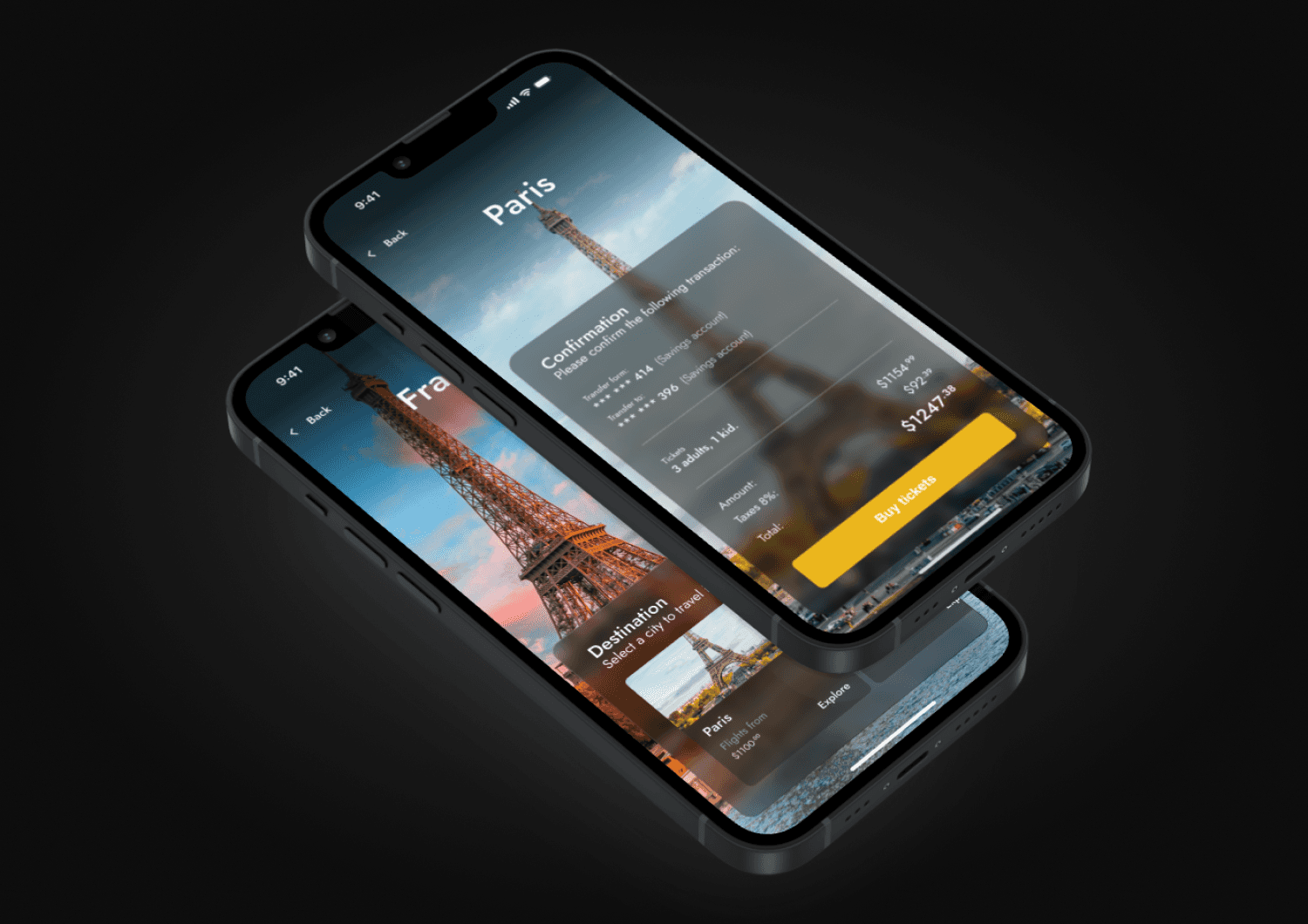
This is the final result, every screen was crafted to provide a clean, intuitive, and delightful experience. Here’s how TravelEase looks in action, ready to make every journey smoother.
Objectives
Showcase the final visual design of the product.
Reflect the evolution from research to UI.
Demonstrate how the design meets both user needs and business goals.
Provide a real feel of the product for recruiters, clients, or collaborators.
Smooth Booking, Happy Travelers
With a 95% booking success rate, TravelEase simplifies the booking experience, surpassing the industry average of 85% and ensuring travelers easily secure their flights.
95% Booking success rate
78% Industry Average
Tracking Flights, Building Confidence
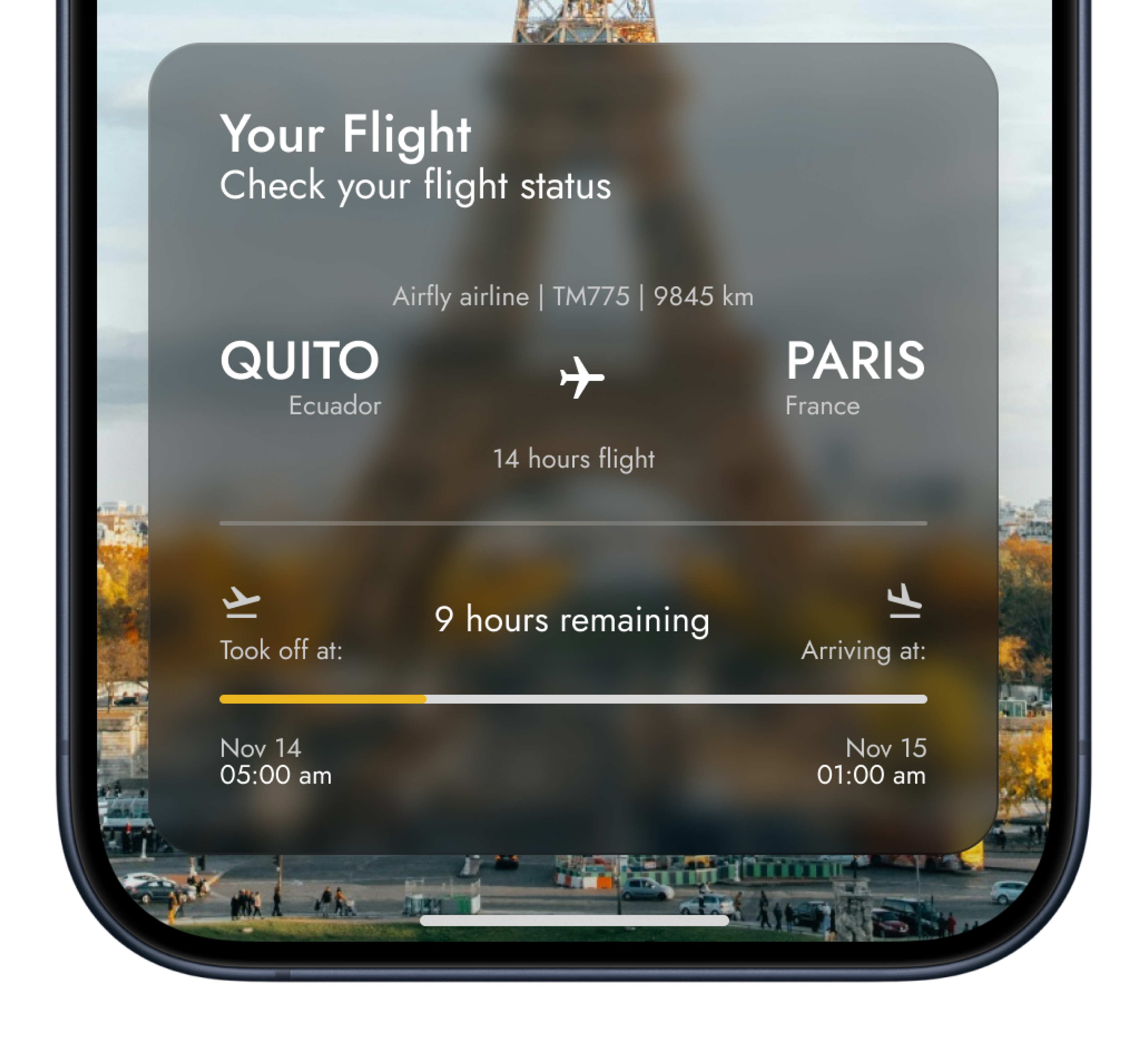
TravelEase successfully tracked 1000+ flights in Beta testing, validating accurate, real-time updates that users trust.
Loved by Travelers, Trusted by All
Early testers gave TravelEase a stellar 4.8/5 rating, praising its intuitive design and effortless experience, far exceeding expectations.
5.0
4.8 User rating form
Learning at 30,000 feet
Designing TravelEase taught me that the key to creating a great user experience is a relentless focus on clarity, simplicity, and constant user feedback. Building this MVP highlighted the importance of iterative design and how small refinements lead to significant improvements.
Next time, I’d dive deeper into early stage user testing to enhance accuracy from the start.